

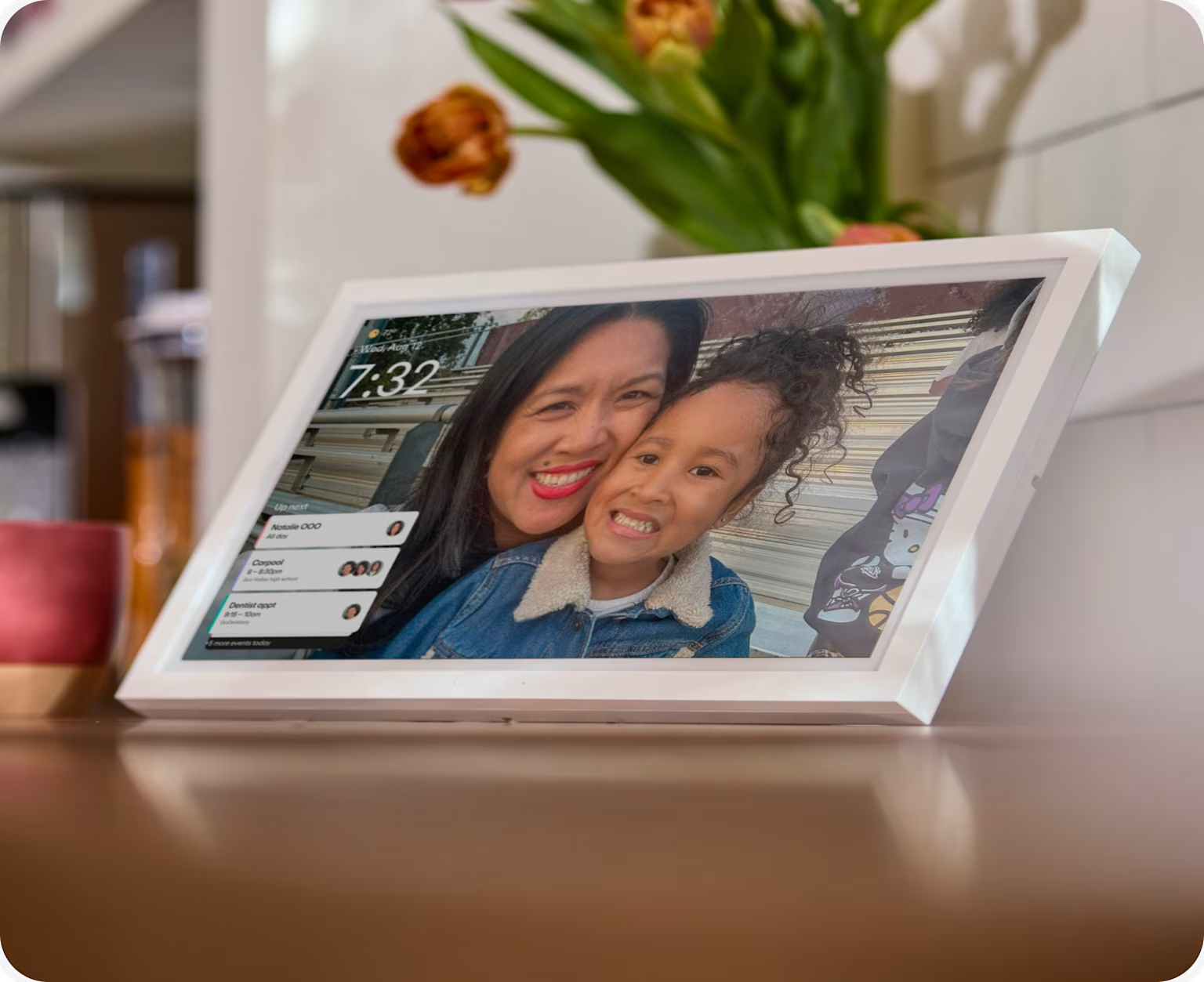
Do digital photo frames make good gifts? Who they're best for
Share

Hey, $mart parents 💡
Bring money lessons home with Greenlight’s $mart Parent newsletter, a quick read with impactful tips — delivered free to your inbox weekly.
Key takeaways
If you’re like most families, you take tons of photos every month, every one suitable for framing. But framing and hanging photos is such a chore and it gets expensive fast. Eventually, you run out of room on your walls. Which photo are you going to take down when you’ve got a new one to put up?
Digital photo frames make good gifts for most families for several reasons beyond simply displaying pictures: they surface old photos automatically, hold unlimited images in one spot, and update themselves for relatives who live far away.
5 reasons digital photo frames make good gifts
A frame doesn't give you pictures you don't already have. It changes where they live and who sees them, and that turns out to matter more than you might think.
1. Photos stop being private
On a phone, looking at photos is a decision. You open an app, scroll back through a year of screenshots and receipts, possibly post a few on social media, and then forget about them. A frame puts the same photos in the room with your family, where everyone can see them. Photos you’d never go looking for appear on their own, including precious ones from four years ago that nobody has thought about since.
2. They solve wall math
Wall space is finite and framed photos are semi-permanent, so putting a new one up means removing an old one. A digital frame holds all of them in a single slot. Nothing gets chosen at the expense of something else, and nothing has to come down. You don't measure anything, drill anything, or negotiate which child's picture goes in the hallway.
3. They show change, which is the point with young kids
A framed photo shows one frozen moment, and with a young child, that moment is out of date within months. A digital frame can show the sequence of growing in an artistic and beautiful way, displaying a newborn baby growing by weeks, a toddler growing by months, and a child growing by years.
4. They reach the people who never see your photos
Grandparents and relatives who live far away rarely see current pictures of your kids. They aren't scrolling your camera roll, and a text thread gets buried within a week. A frame in their kitchen updates on its own, so they don’t miss watching your child grow. For someone who doesn't use a cell phone much, this is the version of the gift that works best.
5. It gets better after the day you give it
Most gifts peak when they're unwrapped. A frame is emptier on the day you hand it over than it will ever be again. Every photo taken next spring shows up on it, and a year later it's holding a year of things that hadn't happened yet.
Even better gifts: frames that do a second job
A digital photo frame serves one purpose, which is displaying your memories. You want it where everyone can see it, but the communal spots like the kitchen counter are already crowded. A single-purpose screen has a hard time earning a place there.
What if the frame did more than show photos? Some frames now run the family calendar too. They sync with Google, Apple, or Outlook, so everyone's schedule shows up color-coded on one screen, and they add chore charts and shared grocery and to-do lists. When nobody's checking the schedule, the display goes back to photos.
It becomes your family’s operating system. Most families run four schedules out of two phones, and the parent holding all of it in their head is tired. A screen everyone can read moves that out of one person's head and into the room.
Kids can use it. A child without a phone can't open a shared calendar app, but they can see a calendar on the wall. They can check what's happening on Saturday, see which chores are theirs, and add milk to the grocery list without asking anyone. That's difficult to give a 9-year-old any other way.
It gets used, which is what makes it last as a gift. A device that runs the week gets touched every day, and the photos come along with it.
These displays come with tradeoffs:
They’re usually larger than a simple digital frame.
They typically cost more, and some require a subscription.
The household has to move its scheduling onto the device.
For a grandparent who just wants to see pictures of the grandkids, a calendar display probably won’t make sense.
What to look for before you buy
Whether you're buying a simple frame or a full family display, the same two questions apply:
Does the photo display cost extra? Some devices put the photo screensaver behind a paid tier, so a $150 frame can really cost $150 plus about $79 a year. Compare the device price and five years of fees together before buying.
How do photos get on it? A frame is only as good as the photos going into it. Automatic sync from an album you already keep, like Google Photos or iCloud, means new pictures show up without anyone doing anything. If adding a photo is its own task, the frame might cycle the same 40 pictures until it ends up in a drawer. Check that more than one person can add to the album, so the grandparents can add pictures too.
Two options worth considering
The right one depends on whether you're only giving photos or giving photos and a household somewhere to put its schedule.
Aura Carver
Best for | A grandparent or relative who just wants photos |
Size | 10 inches |
Subscription | None |
Photo storage | Unlimited |
Who can add photos | Anyone you invite, from their phone or by email |
Calendar, chores, lists | No |
The Carver does one job and charges nothing beyond the purchase price. You set it up through the Aura app, so you can load a few hundred photos and invite the rest of the family before you wrap it up. The person receiving it never has to touch a setting. The Aura Carver is a single-purpose photo frame with no calendar or list features and no subscription, making it best for a grandparent who only wants to see photos.
Greenlight Family Hub
Best for | A household that needs a shared calendar and wants photos too |
Size | 10.1 inches |
Subscription | Not required. Photos, calendars, chores, and lists are on the free plan |
Photo storage | Included free |
Who can add photos | Anyone in the family, from the Greenlight app |
Calendar, chores, lists | Yes, with Google, Apple, and Outlook sync |
The Family Hub is a touchscreen that runs the family digital calendar, chores, and grocery and to-do lists, then shows photos when nobody's using it. Everything on the screen is also in the Greenlight app, so a parent away from the house sees the same calendar. Family Hub+ adds location sharing with place alerts†† and a voice assistant. For families already using a Greenlight account, completed chores on the display can be linked to allowance payments in the app.
Who are digital frames best for?
This is an easy gift to get right. Pick one that shows photos without charging extra and fills itself from an album someone already keeps, and it will still be working a year from now.
If you're buying for a family that could use the calendar as much as the photos, look for a combined calendar-and-photo display such as the Greenlight Family Hub.
If the gift is purely about photos, a single-purpose frame like the Aura Carver is the simpler choice.
If the gift recipient only needs a photo display, buy the frame. If you know the household needs somewhere to put its schedule and wants the photos too, give a digital display that offers both.
FAQs
Do digital photo frames need Wi-Fi?
Yes. WiFi is how new photos are added to the frame. Most will keep showing what’s already loaded if the connection drops, but nothing new arrives until it reconnects.
Do digital photo frames require a subscription?
Not always. Some include unlimited storage and the photo display at no extra cost, while others charge yearly for the photo screensaver or for features like meal planning. Check what’s free before you buy.
Can more than one person send photos to a digital photo frame?
On most Wi-Fi frames, yes. You invite family members through the app and they add photos from their own phones, which is what keeps a frame from going stale.
Can a digital photo frame also work as a family calendar?
Some can. Devices like the Greenlight Family Hub sync with Google, Apple, and Outlook to show everyone’s schedule, then display photos when nobody’s using the screen.
††Requires mobile data or a WiFi connection, and access to sensory and motion data from cell phone to utilize safety features including family location sharing and driving alerts and reports. Messaging and data rates and other terms may apply.
Share

