

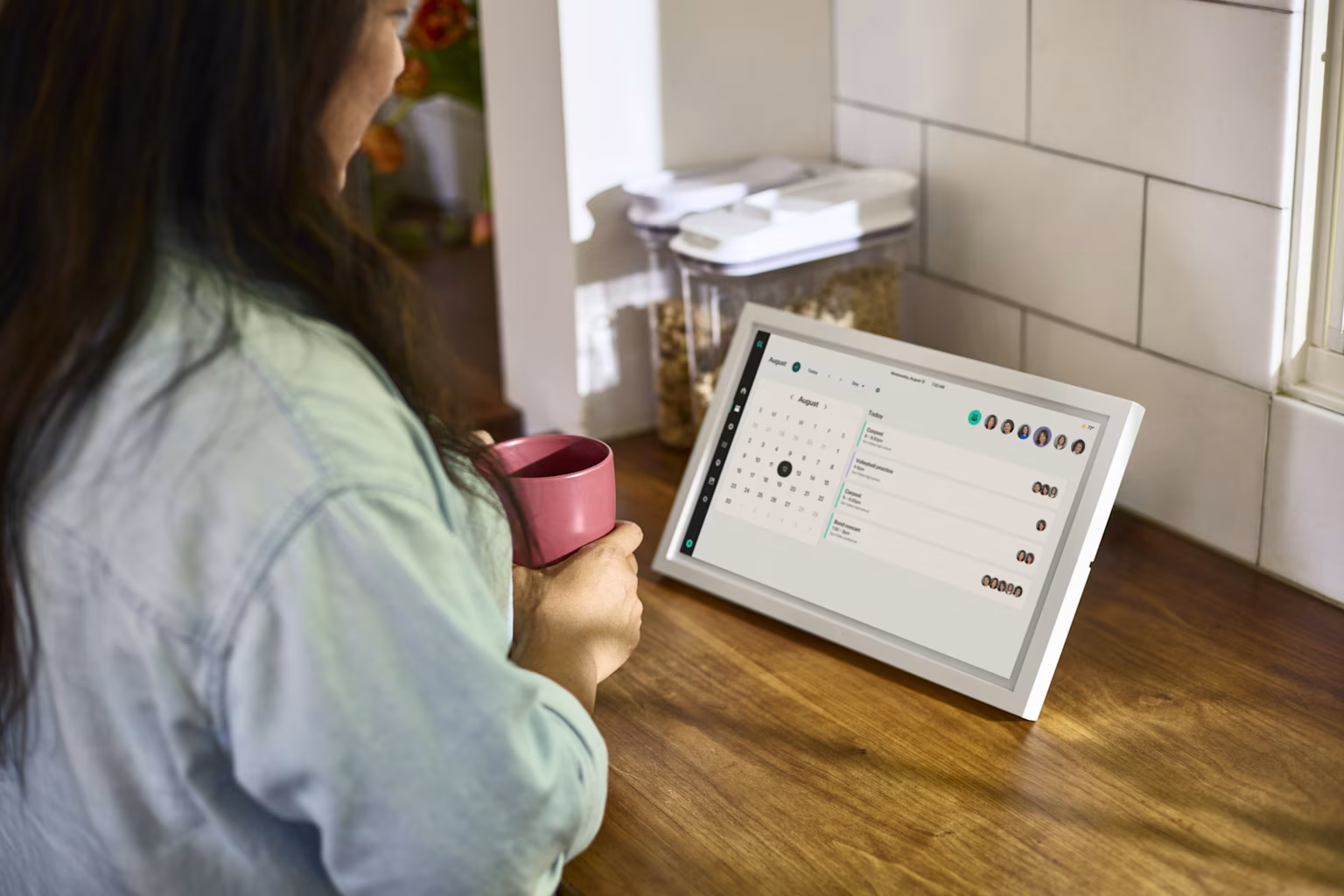
5 Hearth Display alternatives, comparing price and features
Share

Hey, $mart parents 💡
Bring money lessons home with Greenlight’s $mart Parent newsletter, a quick read with impactful tips — delivered free to your inbox weekly.
Key takeaways
Hearth Display, one of the better-known digital family calendars, is a 27” touchscreen that mounts in a prominent place in the home and holds everyone's schedules, chores, and lists in one place. The device is $699, though you may be able to find it on sale for less. The required Family Membership that enables most of the software runs $9/month or $86.40/year, costing roughly $785 the first year, then $86 every year after.
The price can be a deterrent for some families, and size can be another issue. Twenty-seven inches needs a lot of wall space and an outlet near it, which could rule out some kitchens. Hearth is built around the calendar, so for families who need location sharing, a voice assistant, or a screen that does double duty, that would require a second device.
Comparing 5 Hearth alternatives
We looked at five displays that families look at when considering Hearth. There are a few similarities and some key differences between them.
Best for all-in-one value: Greenlight Family Hub
Best for a large screen: Skylight Calendar Max
Best for no subscription: Cozyla Calendar Plus 2
Best for entertainment and smart home: Amazon Echo Show 15
Best for a tight budget: Dragon Touch Digital Calendar
Product & list price | Subscription | Calendar sync | Chores & rewards | Family location & safety | Voice assistant | Photo frame |
|---|---|---|---|---|---|---|
Hearth Display $699 | Required. $9/mo or $86.40/yr | ✓ | ✓ | ✕ | ✕ | ✓ |
Greenlight Family Hub $199-$299 | Optional — $9.99/mo or $99/yr | ✓ | ✓ Free | ✓ Hub+ | ✓ Hub+ | ✓ Free, unlimited |
Skylight Calendar Max $599.99 | Optional — $79/yr | ✓ | Chores free, rewards on Plus | ✕ | ✕ | Plus only |
Cozyla Calendar Plus 2 $349.99-$1,099.99 | Optional — $69.99/year | ✓ | ✓ Free | ✕ | ✓ Limited free | ✓ Free |
Amazon Echo Show 15 $349.99 | None | ✓ | ✕ | ✕ | ✓ | ✓ |
Dragon Touch Digital Calendar $149.99-$799.99+ | None for core features | ✓ | ✓ Free | ✕ | ✕ | ✓ Free |
Prices are approximate and reflect publicly-disclosed information as of October 2026; they vary by size and promotion and may change.
The Greenlight Family Hub requires WiFi connectivity and is available for use with all Greenlight plans. Some features require a subscription.
1. Greenlight Family Hub
Greenlight Family Hub syncs everyone's calendars from Google, Outlook, and iCloud into one color-coded view, and adds chores, star rewards, shared lists, and unlimited photo storage. Among all the displays in this group, Greenlight Hub+ is the only one with real-time family location, place alerts, driving reports, and crash detection.††
It comes in two sizes. The 15.6” model stays plugged in as an always-on kitchen display. The 10.1” has a battery good for four to six hours, so it moves room to room.
List price:
$299 (15.6")
$199 (10.1")
Bundled with a year of Family Hub+, the 15.6" drops to $279.
Monthly fee:
$0 for the free plan.
Family Hub+ is $9.99/month or $99/year. Existing Greenlight Infinity and Family Shield subscribers get Hub+ features at no extra cost.
Screen sizes: 15.6" and 10.1"
Free features:
Shared family calendar syncing Google, Outlook, and iCloud
Chores and task management kids own themselves, with star rewards
To-do and grocery lists
64GB on-device storage
Companion app plus a dedicated kids app
Paid features:
Family AI voice assistant with age-appropriate answers for kids
Turns email and paper invites into calendar events
Real-time location, place alerts, driving reports, SOS alerts, and crash detection††
Best for: Families who want the widest feature set and anyone who'd otherwise buy a family calendar and a location-sharing app separately.
Pros | Cons |
|---|---|
✓ Free plan covers calendar, chores, lists, and unlimited photos ✓ Only display on this list with location sharing and crash detection ✓ Less than half Hearth's hardware price | ✕ Newest product in the group, launched June 2026 ✕ Largest size is 15.6", much smaller than Hearth's 27" ✕ Voice assistant and safety features need Hub+ |
How Greenlight Family Hub compares to Hearth
Family Hub costs $299 against Hearth's $699, and the features Hearth charges $9/month for, such as chores, lists, photos, are free on Family Hub. It also does things Hearth doesn't, including live family location, crash detection, and a voice assistant. If you're already paying for Greenlight through the Infinity and Family Shield plans, Hub+ may be included.
Hearth wins on screen size. Twenty-seven inches reads from across a room in a way 15.6” doesn't, and if a large, wall-filling calendar is the point, Hearth delivers. Hearth has also been shipping longer, with a longer software track record.
2. Skylight Calendar Max
Skylight is Hearth's closest competitor. Calendar Max is the 27” model, which is the same screen size as Hearth, wall-mount only, in landscape or portrait. Skylight also sells 10” and 15” versions if you want the software on a smaller budget.
Skylight’s free tier is generous while Hearth requires a subscription. Chores, custom lists, color-coded profiles, weather, sleep mode, and parental lock are accessible for free. The Plus plan adds meal planning, a photo screensaver, star rewards, Magic Import, and Disney Mode.
List price: $599.99 (27" Calendar Max, Shadow Box aluminum frame)
Monthly fee:
$0 for the free plan.
Calendar Plus is $79/year after a free first month.
Screen sizes:
27" (Max), plus 10" and 15" in the standard Calendar line
Free features
Calendar sync with Google, Apple, Outlook, Yahoo, Cozi, Readdle, and any calendar with a public share link
Chore chart with per-person color coding
Custom lists, weather, event countdowns, sleep mode, and a parental lock
Companion app for iOS and Android
Device linking, so a second Skylight in another house stays in sync
Calendar Plus ($79/yr)
Star-powered rewards
Meal planning with recipes
Photo screensaver
Sidekick — turns emailed schedules and PDFs into calendar events
Disney Mode with 16 characters from Disney, Pixar, Marvel, and Star Wars
Best for: Families who want Hearth's screen size and a similar feature set for $100 less up front and a cheaper subscription.
Pros | Cons |
|---|---|
✓ Same 27" screen as Hearth for $99 less ✓ Free tier available ✓ Paid subscription is $79/year vs. Hearth's $86.40 ✓ Disney Mode and Instacart integration | ✕ Second-most expensive option in the bunch ✕ Wall-mount only, no tabletop stand for the Max ✕ No voice assistant, location, or safety features |
How Skylight compares to Hearth
These two have the same screen size, same job, similar software. Skylight is cheaper on hardware ($599.99 vs. $699) and subscription ($79/year vs. $86.40), includes chores and lists free, and has a longer track record. Its 4-month return window and 3-year replacement promise are more generous than most.
Hearth wins with design and polish. The hardware and interface feel more considered, and the smudge-resistant screen holds up better to kid hands. Neither offers a voice assistant or any location feature.
3. Cozyla Calendar Plus 2
Cozyla doesn’t require a subscription for core features, and the free feature list includes chores, routines, rewards, meal planning, recipes, a pantry, grocery lists, notes, habit tracking, and a photo screensaver that pulls from Google Photos.
It also runs the Google Play Store, so the display doubles as a tablet. You can put YouTube, Chrome, or a recipe app on it. It allows for up to eight family profiles, each with unlimited synced calendars, plus a parental lock for screen time.
List price:
$349.99 (15.6")
$699.99 (24")
$899.99 (32" 1080p)
$1,099.99 (32" 4K)
Monthly fee:
$0. Core features are included with the device.
Cozyla Super, at $69.99/year, removes the usage cap on the Cozyla Agent AI voice assistant and adds an art gallery.
Screen sizes: 15.6", 24", 32"
Features:
Two-way sync with Apple, Google, Outlook, CalDAV, and URL calendars
Chores and routines with points, repetition, and reminders
Custom rewards kids redeem with parent approval
Meal planning with recipes, pantry tracking, and auto-generated grocery lists
To-do lists, grocery lists, and notes
Screensaver with photos and video, including Google Photos
Google Play Store access for third-party apps
Up to 8 profiles with color coding, plus parental lock and screen-time controls
Works with Alexa and Google Home as a smart home hub
Cozyla Agent voice assistant
Best for: Families who want a big screen and a full feature set with no recurring bill, and don't mind a lesser-known brand.
Pros | Cons |
|---|---|
✓ No subscription for any core feature ✓ Largest screen here at 32" ✓ Google Play Store turns it into a general-purpose tablet | ✕ 24" and 32" models cost as much as or more than Hearth ✕ No family location or safety features ✕ Feature overload makes setup feel complicated |
How Cozyla compares to Hearth
Cozyla comes out ahead of Hearth in cost. At 15.6”, it's $349.99 with nothing to pay after that, against $699 plus $86.40 a year for Hearth. Over five years, that's roughly $350 versus $1,131. Cozyla also does more out of the box, including meal planning, pantry, habit tracking, and Google Play apps. Hearth does not offer app store or browser access like Cozyla.
However, Hearth may be the more refined product. Cozyla offers deep customization but can feel overwhelming or complex compared to other plug-and-play options. The brand also doesn't have Hearth's support reputation. If you want the 32” Cozyla, you're paying more than Hearth up front.
4. Amazon Echo Show 15
The Echo Show 15 isn't a family calendar. Rather, it's a smart display that does calendars among other things. It won't match Hearth on chore charts or kid routines, but it does things no dedicated calendar does, including streaming Netflix and Prime Video through built-in Fire TV, making video calls, controlling smart home devices, and answering questions out loud.
The calendar side is basic. You can link Google, iCloud, Outlook.com, or Office 365 through the Alexa app and a widget shows the household's schedule. You can also add to-do widgets, sticky notes, and weather, but it doesn’t have a chore chart or rewards system.
List price: $349
Monthly fee:
$0 for the device
Alexa+ adds conversational AI, smart home control from any device, and shopping and list management for $19.99/month and included free with Prime.
Screen sizes: 15.6"
Features:
15.6" Full HD touchscreen, wall-mountable in landscape or portrait
Links Google, iCloud, Outlook.com, and Office 365 calendars
Customizable widgets for calendar, to-dos, sticky notes, weather, and smart home
Built-in Fire TV for Prime Video, Netflix, YouTube, and Apple TV, with remote included
Camera with auto-framing and 3.3x zoom for video calls, plus a physical shutter
Alexa voice control and smart home hub
Amazon Kids profiles
Best for: Households already in the Alexa ecosystem who want a kitchen screen that handles schedules, streaming, and smart home from one device.
Pros | Cons |
|---|---|
✓ Fire TV, video calling, and smart home built in ✓ No subscription required for calendar features | ✕ No chore chart or rewards ✕ Alexa+ needs Prime or $19.99/month ✕ Calendar is a widget, not a purpose-built family hub |
How Echo Show 15 compares to Hearth
Echo Show costs less than half of Hearth and does more on screen, including streaming, video calls, smart home control, and voice. If the calendar is one of several things you want from a kitchen display, it's the better buy.
However, if the calendar is the whole point, Hearth is likely the better choice. Hearth was designed around the way many families run a week, with chores kids check off themselves, routines, shared lists, and a layout meant to be read at a glance from across the kitchen. Alexa's calendar is a widget. It shows you what's on the schedule, but it won't help you run the household.
5. Dragon Touch Digital Calendar
Dragon Touch is hard to beat on price, starting at $149.99. It comes in six sizes, from 10.1” to 32”, and there's no subscription for the features most families use.
The free tier covers the chore chart with star rewards, meal planning, photo display, and grocery lists. Only Magic Import, which converts forwarded emails and PDFs into calendar events, costs extra.
The hardware is the trade-off. Resolution tops out at 1080p, and the interface is plainer than Skylight's or Hearth's. However, it syncs the same calendars and does the same core jobs.
List price: $149.99-$799.99
Monthly fee: $0 for core features. Magic Import is a paid add-on.
Screen sizes: 10.1", 15.6", 21.5", 24", 27", 32"
Features:
Syncs Google, Apple, Outlook, Yahoo, and Cozi
Color-coded profiles and per-member task assignment
Free interactive chore chart with star-powered rewards
Free meal and dinner planning with saved recipes included
Grocery lists and photo display
eCalendar companion app for remote management
32GB storage, dual-band WiFi, auto-rotate between landscape and portrait
2-year warranty when purchased from Dragon Touch directly
Best for: Families who want a shared digital calendar and chore chart for the least money and don’t need premium hardware.
Pros | Cons |
|---|---|
✓ Lowest price here, starting at $149 ✓ Chores, rewards, meals, and photos all free ✓ Six screen sizes, including a 32" | ✕ 1080p max resolution and plainer build quality ✕ Interface is less polished than Skylight or Hearth ✕ No voice assistant, location, or safety features |
How Dragon Touch compares to Hearth
Dragon Touch offers a synced calendar, chore chart, rewards, meal plans, and lists for less than Hearth's cost and with nothing to pay afterward. Over five years, you'd spend under $200 on Dragon Touch and $1,100+ with Hearth.
Hearth earns its premium on hardware and software quality. The screen is sharper, the interface is easier for young kids, and it looks like a home design element rather than a monitor.
Which Hearth alternative is right for your family?
Hearth's strengths include a large, well-designed screen and software built specifically for family logistics. You're paying for polish, and you're paying once for hardware and every year for the membership. But the product carries a hefty price tag, so it’s worth considering alternatives.
If you want the most included for the money, Greenlight Family Hub gives you calendar, chores, lists, and unlimited photos for $299 and adds live location and crash detection no other display in this group offers.
If a 27” screen is what you're after, Skylight Calendar Max matches Hearth's size for $99 less with a cheaper subscription, and Cozyla offers bigger at 32” with no subscription.
If you never want another recurring bill, Cozyla Calendar Plus 2 and Dragon Touch are full feature sets with one payment.
If you want a smart home and entertainment hub, Amazon Echo Show 15 offers streaming, video calls, and smart home control for less than half Hearth's price, but with very minimal calendar features.
If you're spending as little as possible, Dragon Touch Digital Calendar covers the essentials for as low as $149.
FAQs
Is Hearth Display worth $699?
It depends on how much the 27” screen matters to you. The software is good but not unique. Skylight matches most of it for $99 less, and Cozyla and Dragon Touch match the core features with no subscription. If a large, well-designed display in a visible spot is the point, Hearth could be worth it to your family.
Do any Hearth alternatives work without a subscription?
Yes. Cozyla Calendar Plus 2 and Dragon Touch include their core features with the hardware. Greenlight Family Hub and Skylight both have free plans that cover calendar, chores, and lists, with optional paid tiers for extras.
What happens to Hearth if I cancel the Family Membership?
The device keeps working as a basic calendar. The features that make it a family hub are tied to the $9/month membership.
Can a digital family calendar replace a paper one?
Yes, and it adds things paper can't, like automatic sync with everyone's phone calendars, chore tracking kids manage themselves, shared grocery lists, and weather for each event.
Which family display has the biggest screen?
Cozyla Calendar Plus 2 and Dragon Touch both go up to 32”. Hearth and Skylight Calendar Max are 27”. Greenlight Family Hub and Amazon Echo Show 15 top out at 15.6”.
Do any of these displays include family location tracking?
Greenlight Family Hub is the only one with family location safety features. Its Hub+ plan adds real-time location, place alerts, driving reports, and crash detection.††
Methodology
We compared five digital family displays on the factors that decide whether one is worth buying, including total cost over time and not just the sticker price, how much of the software requires a subscription, screen sizes and mounting options, which calendars each device syncs with, and the day-to-day family features such as chores, rewards, lists, meal planning, photos, voice, and safety. Every price and feature claim was verified against the manufacturer's own product and support pages in September 2026. When a manufacturer's list price differed from what major retailers were charging, we quoted the list price and noted the discount.
††Requires mobile data or a WiFi connection, and access to sensory and motion data from cell phone to utilize safety features including family location sharing and driving alerts and reports. Messaging and data rates and other terms may apply.
Share

