

Skylight Calendar vs. Greenlight Family Hub: which is better for your family?
Share

Hey, $mart parents 💡
Bring money lessons home with Greenlight’s $mart Parent newsletter, a quick read with impactful tips — delivered free to your inbox weekly.
Key takeaways
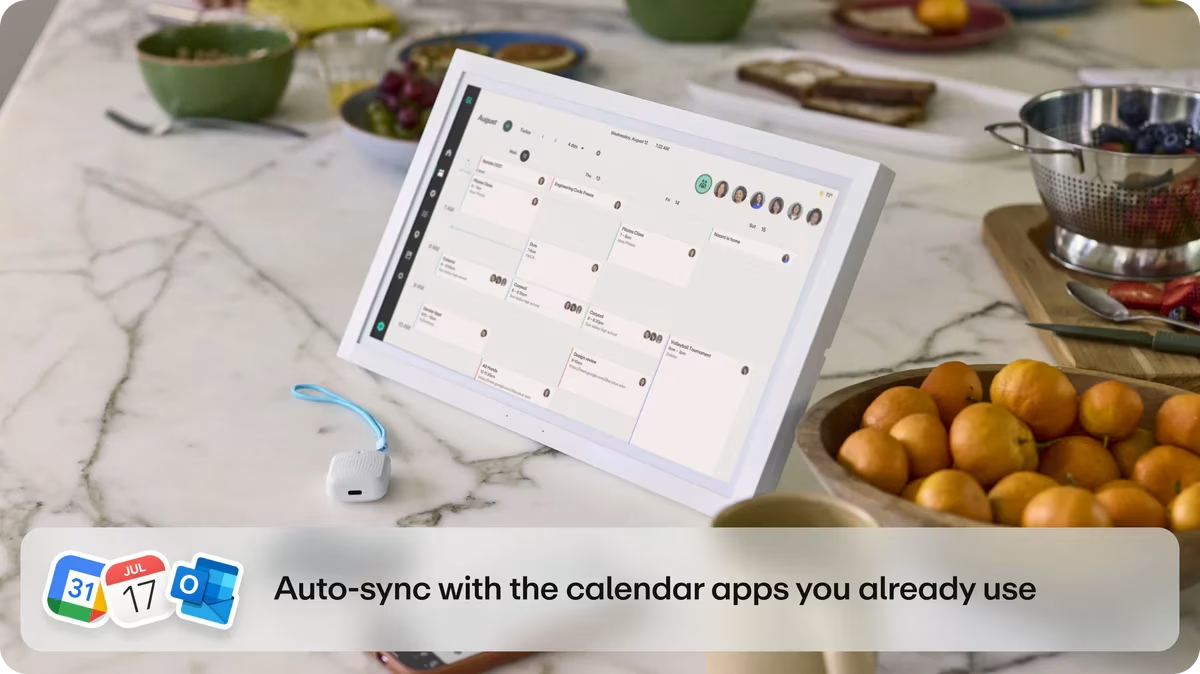
Both Skylight Calendar and Greenlight Family Hub turn a touchscreen into a shared family command center, offering a calendar, chore charts, to-do lists, and photos in one place. The difference is how far each one reaches. Skylight is a dedicated calendar device, while Greenlight Family Hub also works in the Greenlight mobile app, and adds family location sharing plus optional money tools. This is a side-by-side look at what each includes, what they cost, and which one fits individual families best.
Skylight Calendar vs. Greenlight Family Hub overview
Both devices keep the household organized with a shared calendar, chore charts, lists, and a photo display, but the difference is scope. Skylight is a focused calendar device users mount to a wall, while Greenlight Family Hub is a broader family hub device that also runs on the Greenlight smartphone app. Greenlight Family Hub includes a free plan, but adds family location sharing, and the option to connect Greenlight's money features for kids with a subscription. See how they compare.
Feature | Skylight Calendar | Greenlight Family Hub |
|---|---|---|
How you use it | Touchscreen display + companion app | Touchscreen display + companion app |
Device price | $150–$600 | $199–$299 |
Free plan available | ✓ | ✓ |
Paid subscription | Skylight Plus, ~$79/yr | Family Hub+, $9.99/mo or $99/yr |
Shared calendar & sync | ✓ | ✓ |
Chores & tasks | ✓ Star rewards w/ subscription | ✓ Can tie to real allowance |
Grocery lists | ✓ | ✓ |
Meal planning | ✓ w/ subscription | ✕ Coming soon |
Photo display | ✓ w/ subscription | ✓ |
AI assistant | ✓ Voice AI assistant w/ subscription | ✓ Text-based only, w/ subscription |
Built-in safety features | ✕ | ✓ w/ subscription |
See numbered disclosures at the end of this article. Skylight details reflect publicly-disclosed information as of July 2026 and may change. Prices are approximate.
Skylight Calendar at a glance
Skylight Calendar is a touchscreen device you mount or stand in a common space. It puts a color-coded shared calendar, chore charts with star rewards, lists, and a photo screensaver on an always-on screen. It syncs with Google, Apple/iCloud, Outlook, Cozi, and Yahoo. A Skylight Plus subscription unlocks premium features such as the photo screensaver, meal planning, Magic Import, and the Sidekick AI assistant. Skylight is deliberately single-purpose, offering a low-key, wall-mounted family calendar rather than a broader app.
Free vs. Skylight Plus
Feature | Free plan | Skylight Plus |
|---|---|---|
Color-coded shared calendar & sync | ✓ | ✓ |
Chore charts with star rewards | ✕ | ✓ |
To-do & grocery lists | ✓ | ✓ |
Photo display | ✕ | ✓ |
Meal planning | ✕ | ✓ |
Magic Import | ✕ | ✓ |
Sidekick AI assistant | ✕ | ✓ |
Pros and cons
Pros | Cons |
|---|---|
✓ Always-on, dedicated screen the whole family can see ✓ Mature, well-known product with a large 27″ option ✓ Simple, calendar-first experience that's easy for kids | ✕ Larger screen sizes get expensive, up to about $600 ✕ Premium features need Skylight Plus ✕ No location sharing or money tools |
Greenlight Family Hub at a glance
Greenlight Family Hub brings the same shared digital calendar, chores, to-do and grocery lists, and photos on a dedicated device and in the Greenlight mobile app. The Family Hub travels with you and is accessible whether you're at the kitchen counter or away from home. It includes a robust free plan, while the paid subscription adds family location sharing with place alerts and a voice AI assistant. Users with a Greenlight app subscription can connect to Greenlight's money features so real allowance can be paid for chores.
Free vs. paid
Feature | Free plan | Family Hub+ |
|---|---|---|
Color-coded shared calendar & sync | ✓ | ✓ |
Chore charts with rewards | ✓ | ✓ |
Shared grocery lists | ✓ | ✓ |
Photo display | ✓ | ✓ |
Email-to-calendar import | ✕ | ✓ |
Voice AI assistant | ✕ | ✓ |
Family location sharing & place alerts | ✕ | ✓ |
Pros and cons
Pros | Cons |
|---|---|
✓ Works on the device and in the Greenlight app ✓ Robust free plan ✓ Family location sharing and voice AI assistant ✓ Optional integration with Greenlight's money app | ✕ No meal planning available ✕ AI features and money tools sit on paid plans ✕ No 27″-class device at launch |
Pricing
Both Skylight Calendar and Greenlight Family Hub offer core features free with an option to upgrade to a subscription tier if you want more features. Skylight's hardware is cheaper at every size — $150 for the 10″ vs. $199 for Greenlight's 10.1″, and $280 for the 15″ vs. $299 for the 15.6″ — and Skylight Plus is $79/yr against Family Hub+ at $9.99/mo or $99/yr.
But the two free tiers aren't equivalent: Greenlight includes photos and chore rewards free, while Skylight puts both behind a Plus subscription.
Skylight Calendar pricing
Plan / device | Price |
|---|---|
Skylight Calendar (device) | |
10″ | $150 |
15″ | $280 |
27″ | $600 |
Skylight Plus subscription | $79/yr |
Greenlight Family Hub pricing
Item | Price |
|---|---|
Family Hub (device) | |
10.1″ | $199 |
15.6″ | $299 |
Family Hub+ subscription | $9.99/mo or $99/yr |
Who wins?
Skylight, on sticker price alone — it's cheaper at both comparable sizes and $20/yr less for premium. Greenlight Family Hub is the better value if you'd otherwise pay for Skylight Plus, since photos and chore rewards are free here, and only Greenlight includes location sharing and safety alerts with a subscription plan.
Calendar and scheduling
Both devices center on a color-coded shared calendar that syncs with the major calendar providers, and both offer the full calendar in their companion apps as well as on the display. The differences are smaller: Skylight offers a 27″ size that no Greenlight device matches, while Greenlight adds hands-free voice entry so anyone can add an event without touching a screen.
Calendar feature | Skylight Calendar | Greenlight Family Hub |
|---|---|---|
Color-coded shared calendar | ✓ | ✓ |
Syncs Google / Apple / Outlook | ✓ | ✓ |
Full calendar in mobile app | ✓ | ✓ |
Add events by voice / AI | ✓ via text message, with subscription | ✓ Voice + AI, with subscription |
Who wins?
It's a tie on the calendar itself — both sync the major providers and offer a full experience on the device and in the app. Skylight edges ahead on screen options with a 27″ size; Greenlight adds safety features and AI voice interaction alongside the calendar.
Chores and tasks
Both devices let parents assign recurring chores that kids can check off as they're completed. The difference is what motivation costs: Skylight's reward system requires a Skylight Plus subscription, while Greenlight Family Hub includes chore rewards in its free tier — and can tie chores to real allowance when connected to a Greenlight money management plan.
Chores feature | Skylight Calendar | Greenlight Family Hub |
|---|---|---|
Assign & track chores | ✓ | ✓ |
Reward / star system | ✓ With Skylight Plus | ✓ Free tier |
Pay real allowance for chores | ✕ | ✓ |
Who wins?
Greenlight Family Hub for chores connected to allowance, and Skylight for simple chore tracking.
Lists and meal planning
Shared to-do and grocery lists are core to both, and both let the whole household add to them from their phones. Meal planning is where they split: Skylight offers it as part of Skylight Plus, while Greenlight Family Hub doesn't include meal planning yet, but is a feature that is listed as coming soon.
Lists & meals | Skylight Calendar | Greenlight Family Hub |
|---|---|---|
Shared to-do & grocery lists | ✓ | ✓ |
Meal planning | ✓ With subscription | ✕ Coming soon |
Add from phone | ✓ | ✓ |
Who wins?
Skylight, for households that want meal planning built into the same screen as their lists.
Photos and display
Both double as a digital photo display when idle, so the screen earns its space even when no one's checking the schedule. Skylight has deep roots here — it also makes the Skylight Frame — but the photo screensaver requires a Skylight Plus subscription. Greenlight Family Hub includes photos in its free tier.
Photo display | Skylight Calendar | Greenlight Family Hub |
|---|---|---|
Photo screensaver when idle | ✓ With Skylight Plus | ✓ Free tier |
Upload photos from your phone | ✓ With Skylight Plus | ✓ Free tier |
Who wins?
Greenlight Family Hub and Skylight Calendar both display family photos well, but Greenlight doesn't put these features behind a subscription.
Family safety and money tools
This is where the two devices diverge most. Greenlight Family Hub adds family location sharing with place alerts and can connect to Greenlight's chore and allowance feature. Skylight stays focused on organization and does not offer location or financial tools.
Feature | Skylight | Greenlight Family Hub |
|---|---|---|
Family location sharing & place alerts | ✕ | ✓ |
Kids' debit card & allowance | ✕ | ✓ |
Who wins?
Greenlight Family Hub is the clear winner if location sharing or money tools matter to your family.
The verdict: which one is right for your family?
Both devices offer a capable family command center. However, the right one depends on what you're optimizing for.
Choose Skylight if you want a simple, single-purpose device with a wall calendar in one shared spot and you don't need an app-first experience, location sharing, or money tools.
Choose Greenlight Family Hub if you want the same organization across a device and a mobile app, a robust free plan to start, family location sharing, and the option to connect real money tools for your kids.
FAQ
Should I choose Skylight Calendar or Greenlight Family Hub?
Choose Skylight if you want a dedicated, always-on touchscreen calendar for the wall and like a simple, single-purpose device. Choose Greenlight Family Hub if you want the same calendar, chores, lists, and photos across a device plus the Greenlight mobile app, with family location sharing, a robust free plan, and optional money tools for kids.
Is Skylight or Greenlight Family Hub cheaper?
Greenlight Family Hub has a free plan, so you can use the calendar, chores, lists, and photos in the mobile app at no cost; its devices are $199 and $299. Skylight requires buying hardware ($150–$600) plus an optional Skylight Plus subscription (about $39–$80/yr) for premium features.
Do both sync with Google and Apple calendars?
Yes. Both sync with major calendars including Google, Apple/iCloud, and Outlook, so existing schedules appear automatically.
Does Greenlight Family Hub work without buying a device?
Yes. Greenlight Family Hub works in the Greenlight mobile app on a free plan, so families can use it without buying the hardware. Skylight's experience is centered on its physical device.
Which one has family location sharing?
Greenlight Family Hub includes family location sharing with place alerts. Skylight focuses on calendars, chores, lists, and photos and does not offer location sharing.
Which is better for teaching kids about money?
Greenlight Family Hub can connect to Greenlight's allowance feature — so chores can tie to real money. Skylight does not include financial tools.
The Greenlight Family Hub requires WiFi connectivity and is available for use with all Greenlight plans. Some features require a subscription. See Terms for more details.
The Greenlight® prepaid card is issued by Community Federal Savings Bank, member FDIC, pursuant to license by Mastercard International.
Skylight and Skylight Calendar are trademarks of Skylight Frame, Inc. Skylight features, pricing, and subscription details are sourced from publicly-disclosed materials as of July 2026 and may change; prices are approximate and vary by promotion. All product and company names are trademarks of their respective holders and use here does not imply affiliation or endorsement.
Greenlight Family Hub pricing and features reflect information available as of July 2026 and may change. This article is for educational purposes only and does not constitute financial advice.
© 2026 Greenlight Financial Technology, Inc. All Rights Reserved. The Greenlight card is issued by Community Federal Savings Bank, member FDIC, pursuant to license by Mastercard International.
Share

