Acorns Early vs. Greenlight: Which app is best for your family?
Share

Hey, $mart parents 💡
Bring money lessons home with Greenlight’s $mart Parent newsletter, a quick read with impactful tips — delivered free to your inbox weekly.
Key takeaways
Greenlight and Acorns Early (formerly GoHenry) are two of the most popular debit card apps for kids, both designed to help parents teach kids smart money management through hands-on learning. While they share many similarities, there are key differences in features, prices, and flexibility. Here, we break down the details of each to help you decide which is best for your family.
Acorns Early vs. Greenlight overview
Acorns Early and Greenlight offer similar core features, including a debit card, allowance automation, chore assignments, and basic parental controls. However, Greenlight gives you the option to upgrade beyond the basics with features like cash back on savings¹, cashback rewards², investing with parental oversight, location sharing⁴, and driving reports⁴ that make it a one-stop experience.
Feature | Acorns Early | Greenlight |
Monthly fee | From $8/mo for up to 4 kids | From $5.99/mo for up to 5 kids |
Ages | 6–18 | Any age |
Debit card | ✓ up to 4 | ✓ up to 5 |
Chores & allowance | ✓ | ✓ |
Financial education | ✓ | ✓ |
Up to 6% on savings¹ | ✕ | ✓ |
Up to 1% cash back² | ✕ | ✓ |
Investing for kids and parents | UGMA/UTMA (Gold), 1% match | Stocks & ETFs from $1 |
Category-specific parental controls | ✓ | ✓ |
Family location sharing & SOS alerts⁴ | ✕ | ✓ |
Crash detection & driving reports⁴ | ✕ | ✓ |
See numbered disclosures at the end of this article for details on savings, cash back, investing, and safety features. Acorns Early details reflect publicly-disclosed information as of July 2026.
Acorns Early at a glance
Acorns Early is a parent-managed debit card and learning app for kids 6–18. A parent adds up to four kids' cards on the Lite plan and can automate allowance and chores. Its standout is education — 100+ Money Missions that use short films and quizzes to teach earning, saving, and budgeting. On Acorns Gold, families also get Early Invest, a custodial (UGMA/UTMA) account with a 1% match. Acorns Early focuses on education and custodial investing rather than savings rewards, cash back, or safety tools.
Pros and cons
Pros | Cons |
✓ Deep, gamified financial education (100+ Money Missions) ✓ Automatic chores and allowance ✓ Category-level parental spend controls ✓ Custodial investing with a 1% match (Acorns Gold) | ✕ No free tier ✕ No kids' savings interest or cash back ✕ No family safety features |
Greenlight at a glance
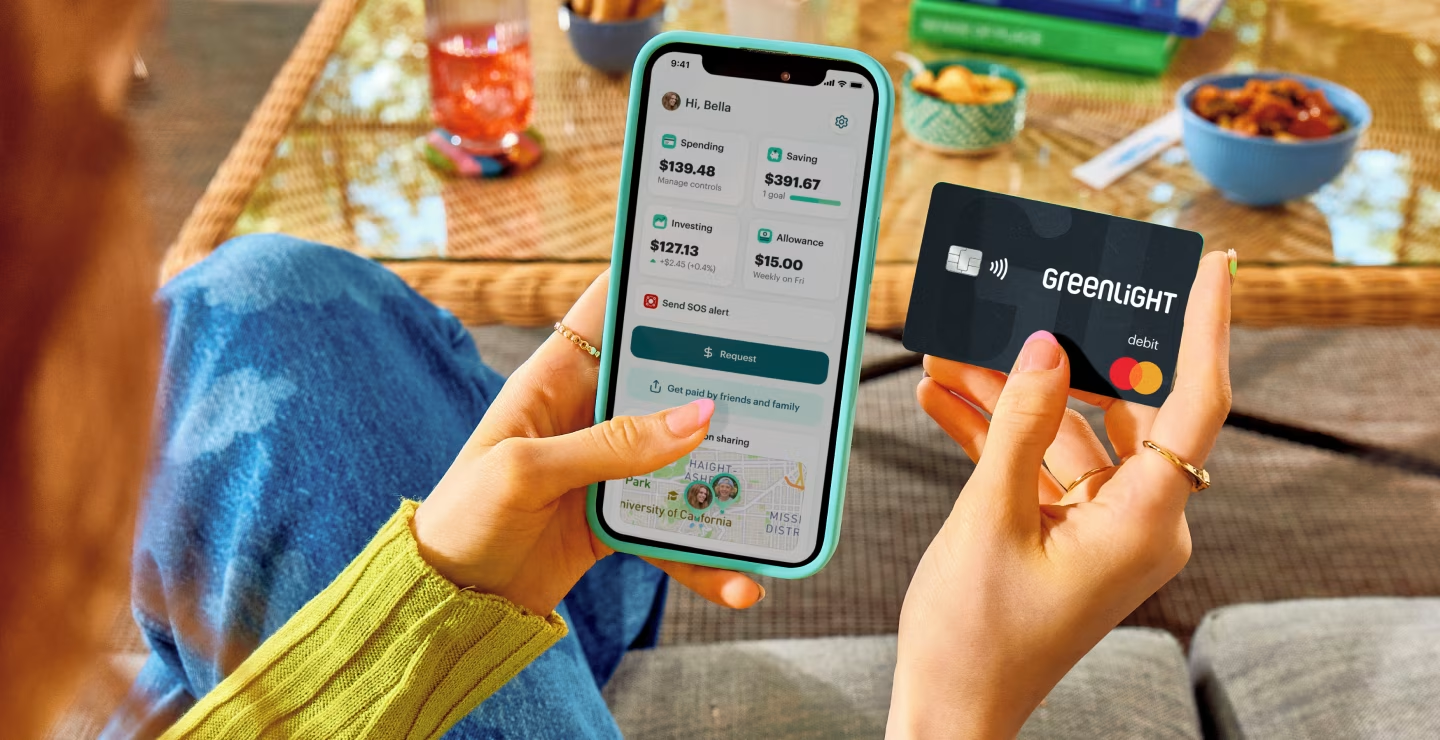
Greenlight is an all-in-one family money and safety app. A parent opens the account and can add a debit card for a child of any age, with one plan covering up to five kids. That means automated chores and allowance, savings goals that earn up to 6% on savings¹, up to 1% cash back², and parent-approved investing in real stocks and ETFs starting at $1. Higher tiers extend beyond the wallet with family location sharing, SOS alerts, crash detection, and driving reports⁴.
Pros and cons
Pros | Cons |
✓ Up to 5 kids of any age on one plan ✓ Savings rewards, cash back, and hands-on investing from $1 ✓ Automated chores and allowance ✓ Category- and store-level parental controls ✓ Family safety: location sharing, SOS, crash detection⁴ | ✕ No free tier ✕ Investing and safety features require higher-tier plans |
Pricing
Both are subscriptions with no per-transaction fees for everyday use. Greenlight's plans scale by features and cover up to five kids; Acorns Early has two tiers, with investing on the higher one.
Acorns Early pricing
Acorns Early costs $8 per month on the Early Lite plan, which covers up to four kids' debit cards, automatic allowance and chores, and Money Missions lessons. Investing for kids requires Acorns Gold at $12 per month, which adds Early Invest (a custodial UGMA/UTMA account with a 1% match) plus parent investing and retirement accounts. There is no free plan.
Plan | Price & what's included |
Early Lite | $8/mo Up to 4 kids' cards Allowance and chores Money Missions lessons |
Acorns Gold | $12/mo Everything in Early Lite Early Invest: kids' UGMA/UTMA with 1% match Parent investing and retirement accounts |
Greenlight pricing
Greenlight starts at $5.99 per month for the Core plan, and every plan covers up to five kids of any age at no extra cost per child. Greenlight Max is $10.98 per month and adds kid investing, higher savings rewards and cash back, and identity theft protection**. Greenlight Infinity is $15.98 per month and adds family location sharing, SOS alerts, and crash detection⁴. Greenlight Family Shield is $19.98 per month for added family safety and protection benefits.
Plan | Price & what's included |
Greenlight Core | $5.99/mo Up to 5 kids' debit cards Chores, allowance, and savings goals Parental controls and in-app lessons |
Greenlight Max | $10.98/mo Everything in Core Parent-approved investing from $1 Higher savings rewards and cash back² |
Greenlight Infinity | $15.98/mo Everything in Max Family location sharing: SOS alerts and crash detection⁴ |
Greenlight Family Shield | $19.98/mo Everything in Infinity Financial account monitoring and identity theft protection** |
Who wins?
Greenlight is the cheaper option, starting at $5.99/month versus Acorns Early's $8/month entry price. Acorns Early's top tier ($12) is less expensive than Greenlight's most expensive plan ($19.98), but that's only relevant if you specifically want Greenlight's higher-tier features like investing or family safety.
Parental controls
Acorns Early and Greenlight offer similar in-app parental controls, but Greenlight has more granular and customizable features.
Parental control | Acorns Early | Greenlight |
Real-time alerts | ✓ | ✓ |
Card lock | ✓ | ✓ |
Spend limits | ✓ | ✓ |
Category-level spending controls | ✓ | ✓ |
Block specific individual stores | ✕ | ✓ |
Kid-to-kid transfers with parent approval | ✕ | ✓ |
Who wins?
Greenlight offers more granular guardrails than Acorns Early, such as the ability to limit spending at designated retailers.
Saving and rewards
Greenlight offers savings goals plus up to 6% on savings¹ (by plan) and up to 1% cash back². Acorns Early lets kids set savings goals with target dates and autosave, but doesn't advertise interest on a child's balance.
Saving feature | Acorns Early | Greenlight |
Savings goals & autosave | ✓ | ✓ |
Rewards on kids' savings | ✕ | ✓ up to 6%¹ |
Cash back on purchases² | ✕ | ✓ up to 1%² |
Who wins?
Greenlight offers kid-facing savings rewards and cash back for those who want these incentives.
Investing
The two take different paths. Acorns Early's Early Invest (on Gold) is a parent-directed custodial UGMA/UTMA account with a 1% match — money invested for the child's future. Greenlight lets kids buy fractional shares of stocks and ETFs from $1 with parent approval, offering hands-on investing by the child.
Investing feature | Acorns Early | Greenlight |
Kids can buy stocks & ETFs | ✕ | ✓ |
Fractional shares from $1 | ✕ | ✓ |
Parent approval on every trade | ✕ | ✓ |
Custodial UGMA/UTMA account | ✓ | ✕ |
Match on invested money | ✓ 1% | ✕ |
Included on the base plan | ✕ Gold only | ✕ Max and up |
Who wins?
Acorns Early for parent-led custodial investing with a match; Greenlight for teaching a kid to invest directly with parental oversight.
Financial education
Acorns Early's Money Missions are a deep, gamified library organized by age, and are one of its biggest strengths. Greenlight includes in-app education woven into saving, investing, and giving (plus Level Up™), but is less curriculum-like.
Education feature | Acorns Early | Greenlight |
Structured lesson library | ✓ | ✓ |
Lessons organized by age | ✓ | ✓ |
Quizzes & gamified rewards | ✓ | ✓ |
Learning tied to a real card & balance | ✓ | ✓ |
Lessons on investing kids can act on | ✕ | ✓ |
Included on the base plan | ✓ | ✓ |
Who wins?
Both Acorns Early and Greenlight offer robust educational content for kids to learn about money management and responsibility.
Family safety and security
Greenlight offers family location sharing, SOS alerts, and crash detection on higher tiers⁴, while Acorns Early does not include physical-safety features.
Safety feature | Acorns Early | Greenlight |
FDIC-insured funds through a partner bank | ✓ | ✓ |
Zero liability fraud protection | ✓ | ✓ |
Chip- and PIN-protected transactions | ✓ | ✓ |
Instantly lock a lost or stolen card | ✓ | ✓ |
Family location sharing⁴ | ✕ | ✓ |
SOS alerts⁴ | ✕ | ✓ |
Crash detection & driving reports⁴ | ✕ | ✓ |
Identity, phone & purchase protection⁵** | ✕ | ✓ |
Who wins?
Greenlight pulls ahead on physical safety due to its crash detection, location tracking, and SOS alert features⁴ with higher tier plans.
The verdict: which one is right for your family?
Choosing between Greenlight and Acorns Early depends on your family's unique needs.
Choose Acorns Early if you want a lesson-first card your child and value Acorns' parent-investing ecosystem with a custodial account for your kid.
Choose Greenlight if you want one plan for up to five kids of any age, with savings rewards, cash back, family safety features, and kids picking their own stocks with your oversight.
FAQ
Should I choose Acorns Early or Greenlight?
Choose Acorns Early if you want a gamified financial-education experience for a child 6–18 and like Acorns' investing ecosystem. Choose Greenlight if you want one plan for up to five kids of any age, with savings rewards, cash back, investing from $1, and family safety features on higher tiers.
Is Acorns Early or Greenlight cheaper?
Greenlight starts at $5.99/month for up to five kids. Acorns Early Lite is $8/month for up to four kids, and Acorns Gold is $12/month. For larger families, Greenlight is usually the lower per-kid cost.
What ages do Acorns Early and Greenlight support?
Acorns Early is for kids ages 6 to 18. Greenlight has no minimum age — a parent can add a card for a child of any age.
Do Acorns Early and Greenlight offer investing?
Both do, but with some differences. Acorns Early includes Early Invest, a parent-directed custodial (UGMA/UTMA) account with a 1% match, on Acorns Gold. Greenlight lets kids research their own stocks and buy fractional shares of stocks and ETFs from $1 with parent approval.
Which has better savings rewards?
Greenlight advertises up to 6% on savings¹ plus up to 1% cash back², depending on plan. Acorns Early lets kids set savings goals but doesn't advertise interest on a child's balance, so Greenlight leads on kid-facing savings rewards.
Which is better for family safety?
Greenlight adds family location sharing, SOS alerts, crash detection, and driving reports⁴ on higher tiers. Acorns Early doesn't include family-safety features, so Greenlight is the choice if physical safety matters.
¹ Greenlight Core families can earn 2% per annum, Greenlight Max families can earn 3% per annum, Greenlight Infinity families can earn 5% per annum, and Greenlight Family Shield families can earn 6% per annum on an average daily savings balance of up to $5,000 per family. To qualify, the Primary Account must be in Good Standing and have a verified ACH funding account. See Greenlight Terms of Service for details. Subject to change at any time.
² Greenlight Max, Infinity, and Family Shield families can earn 1% cash back on spending monthly. To qualify, the Primary Account must be in Good Standing and have a verified ACH funding account. See Greenlight Terms of Service for details. Subject to change at any time.
© 2026 Greenlight Investment Advisors, LLC (GIA), an SEC Registered Investment Advisor provides investment advisory services to its clients. Investing involves risk and may include the loss of capital. Investments are not FDIC-insured, are not a deposit, and may lose value.
⁴ Requires mobile data or a WiFi connection, and access to sensory and motion data from cell phone to utilize safety features including family location sharing and driving alerts and reports. Messaging and data rates and other terms may apply.
⁵ Provided by Virginia Surety Company, Inc., cell phone protection is not available to residents of New York.
Acorns Early is a product of Acorns; GoHenry is a registered trademark of Acorns Grow Incorporated. Acorns Early features, fees, and pricing are sourced from Acorns Early's publicly-disclosed materials as of July 2026 and may change. All product and company names are trademarks of their respective holders.
** Insurance offered by Acrisure, LLC is provided by ACE American Insurance Company and its U.S.-based Chubb underwriting company affiliates. www.chubb.com. Additional details can be viewed here. See link for policy information. Insurance Products are not insured by the FDIC or any federal government agency and are not a deposit or other obligation of, or guaranteed by, any bank or bank affiliate.
The Greenlight® prepaid card is issued by Community Federal Savings Bank, member FDIC, pursuant to license by Mastercard International.
Share