

How to automate your home: 9 smart ideas for families
Share
Hey, $mart parents 💡
Bring money lessons home with Greenlight’s $mart Parent newsletter, a quick read with impactful tips — delivered free to your inbox weekly.
Key takeaways
Smart home devices have never been more affordable, more capable, or easier to set up. And yet most families who buy them end up with a house full of gadgets — and a daily routine that still feels chaotic.
Most families have the devices. What's missing is the system underneath them.
This guide covers nine ways to automate your home, along with the one thing most smart home guides leave out entirely: a system that coordinates the people inside it.
What is home automation?
Home automation means using technology to control and manage your home's devices, systems, and routines automatically — without having to manually trigger each one. Lights that turn on when you arrive. A thermostat that adjusts before you wake up. A door that locks itself at night.
Done well, home automation removes friction from the things your household does every single day. Done poorly, it's just more gadgets or apps to manage.
The goal is a home that responds to your family's life — not one that requires constant attention to maintain.
9 ways to automate your home
1. Smart lighting
Lighting is the highest-impact, lowest-friction place to start. Smart bulbs and switches let you automate lights by time, routine, or trigger — no manual control needed.
What it looks like in practice:
Lights gradually brighten at your wake-up time, easing the morning without an alarm blasting
Motion sensors turn hallway and bathroom lights on automatically at night
Outdoor lights activate at sunset and turn off at sunrise
A "goodnight" routine dims everything in the house at once
Smart lighting works with most major platforms — Apple Home, Google Home, Amazon Alexa — and retrofit options like smart switches mean you don't have to replace every bulb.
2. Smart thermostat
A smart thermostat is one of the few smart home devices that pays for itself. It adjusts automatically to your schedule and can cut heating and cooling costs by 10–15% annually.
Set it to drop the temperature when everyone leaves for school and work, warm back up before pickup time, and shift to sleep mode at bedtime. On weekends, it adjusts differently. You set it once; it handles the rest.
Top options — Nest, Ecobee, Honeywell Home — all integrate with major smart home platforms and most HVAC systems.
3. Smart locks and doorbell camera
Keyless entry removes one of the most common family pain points: the lost key, the kids locked out, the "did I lock the door?" spiral after you leave the house.
Smart locks let you lock and unlock remotely, set codes for kids or housekeepers, and get notified whenever the door opens. Pair with a video doorbell and you can see who's at the door from anywhere.
Auto-lock features mean the door locks itself after a set time — one less thing to remember. Works with most standard deadbolts. Popular options: Schlage Encode, Yale Assure, Ring Video Doorbell, Arlo.
4. Smart plugs and appliances
Smart plugs are the cheapest entry point into home automation — typically $10 to $25 — and can make almost any existing appliance "smart." Plug in a lamp, a coffee maker, a space heater, or a fan, and you can schedule it, control it remotely, or tie it to a routine.
More advanced options include smart washers and dryers that notify you when a cycle finishes, smart ovens you can preheat remotely, and robot vacuums you can schedule to run while everyone's out.
5. Home security and sensors
A connected security system gives you visibility into your home, whether you're in the next room or across the country. Motion sensors, window and door sensors, smoke detectors, carbon monoxide detectors, and water leak sensors can all send alerts to your phone the moment something changes.
Many systems let you set custom automations: lights flash if a smoke alarm triggers, a notification fires if a door opens after 10 p.m., the thermostat adjusts if a window is left open. The home monitors itself, so you don't have to. Popular options: Ring Alarm, SimpliSafe, Arlo, Nest Protect.
6. Voice control and a smart home hub
Individual devices are useful. Devices that work together are transformative. A smart home hub — Google Home, Amazon Alexa, Apple HomePod, or Samsung SmartThings — connects everything under one platform and lets you control it by voice or a single app.
One command ("goodnight") can lock the doors, turn off the lights, lower the thermostat, and arm the security system simultaneously. Routines you build once run every day automatically.
If you're starting from scratch, pick one ecosystem and buy devices that are compatible with it. Mixing platforms creates friction; staying within one keeps everything simple.
7. Automated routines
This is where home automation shifts from "convenient" to life-changing. Routines connect multiple actions together, triggered by a time, a location, or an event.
Examples:
Morning routine: At 6:45 a.m., lights brighten gradually, thermostat rises to 70°, coffee maker starts, morning news plays on the kitchen speaker
School departure: At 7:50 a.m., a reminder fires, the porch light turns on, and the garage door opens
Arrive home: When your phone's location hits the neighborhood, the thermostat adjusts and the front lights turn on
Bedtime: At 9 p.m., lights dim across the house, the front door auto-locks, and the security system arms
Most smart home platforms let you build these with no coding. Start with one routine. Build from there.
8. Energy monitoring
Beyond the convenience, smart home automation is one of the more practical ways to manage energy costs. Whole-home energy monitors (like Sense) track usage by device, show you what's drawing the most power, and let you set alerts for unusual spikes.
Combined with a smart thermostat and scheduled smart plugs, many families reduce their monthly energy bills meaningfully within the first few months.
9. A family hub — smart automation for the people at home
Here's the gap that most smart home guides don't address. Your devices can automate your house, but they can't coordinate your family.
Schedules change. Kids need reminders. Chores pile up. Grocery items get forgotten. The thermostat adjusts automatically, but someone still has to remember that soccer practice is at 5:30 p.m. and it's trash night.
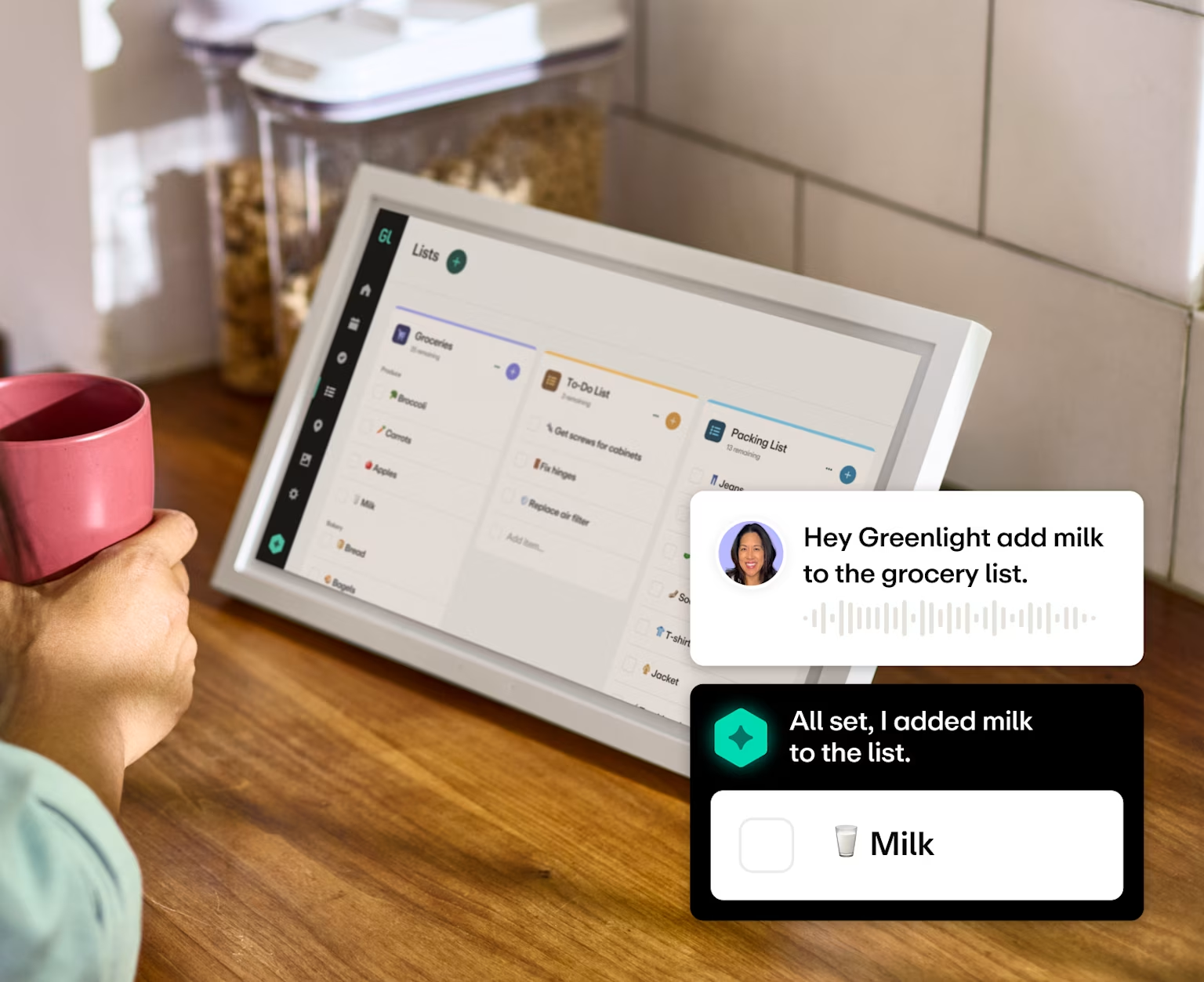
A family hub like Greenlight is a shared display that manages the household's daily operations alongside your smart home:
Shared calendars with automatic reminders
Chore assignments that run on autopilot
Real-time grocery lists
Family location sharing so you know when everyone's home safely
Your smart home handles the devices. Greenlight handles everything else — replacing the group texts, sticky notes, and scattered apps that actually run your household. And for the family moments in between, there's a built-in photo display that keeps your home screen filled with current photos without anyone printing a thing.
How to start automating your home
Start with your biggest daily frustration. What's actually slowing your family down? For some families, that's the physical stuff — a house that's freezing when you wake up, lights nobody turns off, a door that's never locked. For others, it's the coordination chaos — the missed reminders, the chore arguments, the group chat nobody checks. Identify the real pain point first. That's where to start, whether it's a device or a family hub.
Pick one solution and get it working. One device with one routine, or one hub with one consistent habit. Either way: get it running reliably before adding anything else. One thing that works beats five things that don't.
Layer from there. Once the first piece is solid, expand — a second device, a new routine, or the coordination layer if you haven't added it yet. Keep devices on the same platform so they can work together over time.
The bottom line
Automating your home often starts with smart devices — lights, thermostat, locks, security — connected through a single platform with routines that run automatically. That handles the house.
The missing piece is a family hub that handles the people inside: schedules, chores, reminders, and the financial habits kids build by being part of a running household.
Together, that's a home that genuinely runs itself.
Explore Greenlight's Family Hub — chores, lists, location sharing, and family routines in one place.
Frequently asked questions
How much does it cost to automate your home?
You can start for under $50 — a smart plug or a single smart bulb costs $10–$25. A full setup with lighting, thermostat, smart lock, and security can run $300–$1,000+, depending on home size and brands. Smart thermostats often offset their cost through energy savings within the first year.
Do I need to be tech-savvy to set up home automation?
No. Modern smart home devices are designed for non-technical users. Most connect via a standard app in a few minutes. Start with one device, learn how it works, then expand.
What smart home platform should I use?
The big three are Google Home, Amazon Alexa, and Apple HomeKit. If you're an iPhone household, HomeKit integrates well. If you use Android or Google devices, Google Home is natural. Alexa has the widest device compatibility. Matter — a newer universal standard — is making cross-platform compatibility easier, so the choice is less permanent than it used to be.
What's the difference between a smart home hub and a family hub?
A smart home hub (Google Home, Alexa) controls devices — lights, locks, thermostats. A family hub manages people and tasks — schedules, reminders, communication, chores, allowances. They solve different problems and work well together to automate a home. And unlike a smartphone or tablet, a family hub is designed for kids to actually use — no open browser, no more apps, no rabbit holes. Just the stuff that keeps your household running.
Share

