


Hey, $mart parents 💡
Bring money lessons home with Greenlight’s $mart Parent newsletter, a quick read with impactful tips — delivered free to your inbox weekly.
Key takeaways
Getting children to help around the house can feel like a full-time job. One day they’re on board, the next they vanish when it’s time to unload the dishwasher. When you add in some fun and intrigue, chores can shift from something kids avoid to something they do without being asked.
These 10 ideas are playful, hands-on, effective ways to give children more ownership of their chores, so they stay engaged and follow through. You’ll also learn how to set them up and pay allowance or reward them in other ways on the , the shared family display.
1. Make chore trading cards
The idea: Create collectible-style cards for chores, complete with task names, point values, and fun titles like “Captain Compost” or “Dishwasher Dynamo.”
Why it works: Kids love collecting and customizing. Turning chores into something they can trade or level up keeps it fresh.
Try this: Print your own on card stock or use index cards. Children can earn small rewards when they collect a full set.
2. Turn chores into secret missions
The idea: Give chores a spy-themed twist. “Agent Alex, your mission: locate and remove all socks from the living room.”
Why it works: It adds storytelling to something that usually feels like a demand. That shift can be enough to make it feel fun.
Try this: Leave chore "missions" in envelopes, or deliver them in character using a walkie-talkie.
3. Launch a family fantasy league
The idea: Treat chores like a weekly competition. Each task earns points. Track scores and name an MVP at the end of the week.
Why it works: Leaderboards and friendly competition can boost motivation, especially for kids who love games.
Try this: You can use a whiteboard, shared Google doc, or paper chart, but a shared screen in the kitchen works even better, since the standings are visible. Keep it lighthearted with silly prizes or titles.
4. Spin the wheel of chores
The idea: Create a spinning wheel filled with tasks, bonuses, and fun curveballs like “double points” or “choose a helper.”
Why it works: The randomness can make it feel more like a game and less like a demand. Kids feel more in control.
Try this: Use a physical spinner or a digital version online. Rotate chores regularly to keep it fresh.
5. Hold a weekly chore auction
The idea: Give each child a set amount of play money. Let them bid on chores they want (or don’t want) to do. They can even pay siblings to swap.
Why it works: It turns decision-making into strategy. Plus, kids start learning basic budgeting and negotiation.
Try this: Create a family “chore store” where they can spend earnings on privileges or small prizes.
6. Build a home economy
The idea: Assign dollar values to chores and let kids earn toward things they want, whether it’s screen time, a special snack, or saving up for something bigger.
Why it works: It teaches children about earning, saving, and spending in a way that feels real to them.
Try this: Start with a few basic tasks and clear payouts, then add more options as your child gets the hang of it. Consider offering bonuses for consistent follow-through or surprise rewards for going above and beyond.
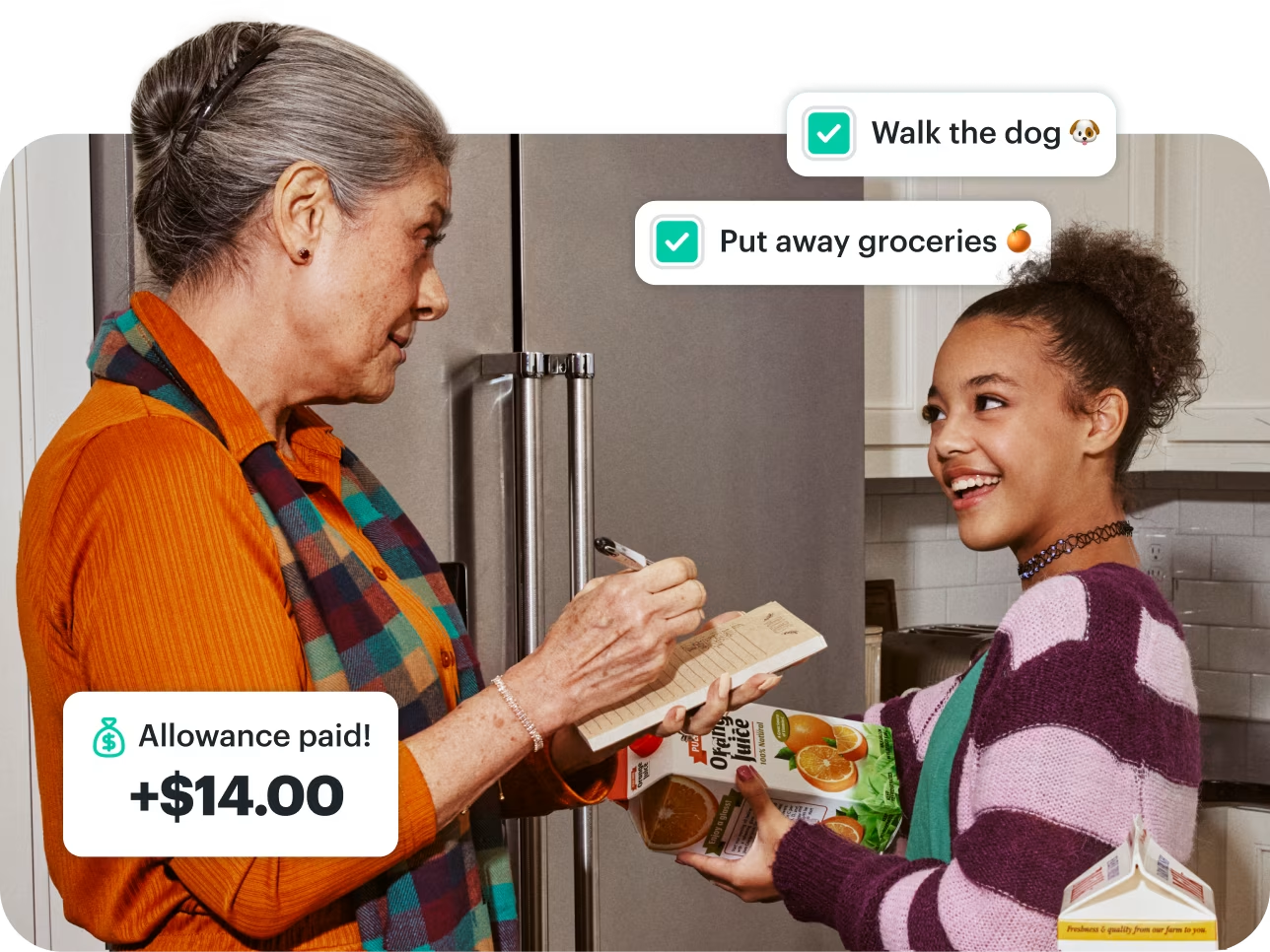
When it comes time to pay up, an allowance that comes right to their very own Greenlight debit card¹, rather than cash you have to remember, makes the link between effort and money immediate and gives them a balance to budget.
7. Create a chore time capsule
The idea: Snap before-and-after photos of rooms your kids clean, then review their “chore glow-ups” at the end of the week.
Why it works: It gives children a way to see their progress. That moment when they compare a messy room to a clean one can flip a switch and make the effort feel worth it.
Try this: Let them choose their favorite photo each week and add it to a shared album, wall collage, or the Greenlight Family Hub digital picture frame.
8. Add a ridiculous twist
The idea: Add silly rules to make chores playful. Fold laundry while humming a song. Sweep using only your non-dominant hand. Clean in a superhero costume.
Why it works: Unexpected twists break up the usual routine and shift focus away from the task itself. That energy can help children stay engaged, especially when they feel like they’re in on the joke.
Try this: Let your kids invent their own challenge-of-the-week. They’re more likely to get into it if they helped shape the rules.
9. Forecast the weekly chores
The idea: Have kids deliver a “chore forecast” like a weather report. Think: “Expect sweeping in the dining room and a 99% chance of bathroom cleanup.”
Why it works: Kids get a creative outlet while also processing what needs to be done. It turns planning into a performance.
Try this: Make it part of your Sunday routine. Let them present it live, and record it like a real newscast.
10. Use tech to track progress
The idea: Use an app and a family display tool to stay organized with who’s doing what, when it’s due, and what they’ve earned.
Why it works: When children can see what’s expected and what they’ve finished, it makes them more likely to stay on track. It also saves parents from having to micromanage every step.
Try this: Use the Greenlight app to assign chores, send reminders, and set up payouts tied to completed tasks. One screen the whole family shares, such as a display like Greenlight Family Hub, keeps chores, the calendar, and shared lists together on the kitchen counter, so nothing depends on a child having a phone or using the app.
How Greenlight Family Hub can help you run your chore system
Most of the ideas above run on paper. Paper is great, but it’s also where ideas quietly die unless it’s constantly monitored. Greenlight Family Hub is a shared touchscreen that keeps chores, lists, and the family calendar on one screen everyone walks by.
One shared list. Chores sit next to the calendar, so what's assigned isn't up for debate.
Recurring chores repeat on their own. Set due days once instead of rewriting the chart every week.
Kids check off their own work. The screen is simple enough that younger kids can use it without help.
Stars add themselves up. No disputed point totals, no half-erased whiteboard.
Update it from anywhere. Add a chore or check progress from the Greenlight app when you're out.
Allowance can follow the work. Earnings land on your child's Greenlight debit card, where they can spend it, save toward something, and see what's left.
If you'd rather keep chores unpaid, children can still earn stars toward a reward, the same as a star chart on any family display. Plenty of families run both, using stars for everyday tidying and dollars for the bigger jobs.
Ending on a high note
There’s no one right way to get kids to do chores. Some love competition. Others want a little freedom in how they help. What matters most is that the system works for your family and makes kids feel like they’re part of something and not just getting bossed around.
Try a few of these ideas, keep what sticks, and don’t be afraid to let your kids come up with the next great twist. Last but not least, put chores out of your head and into the hub.
Get chores, calendars, photos, and family locations†† in one place with the .
FAQs
How do you get children to do chores without nagging?
Put the list somewhere everyone can see it and make the reward automatic, so the reminder isn't coming from you. Give kids a say in which chores they take, keep each one small enough to finish in one sitting, and attach the same consequence or payout every week. A shared display like Greenlight Family Hub does the reminding, and allowance pays out on chore progress without a conversation.
How do clear, specific instructions improve chore follow-through?
"Clean your room" is a judgment call, while "clothes in the hamper, books on the shelf, dishes in the kitchen" is a checklist a kid can finish and you can verify. Naming exactly what done looks like, and posting it where everyone sees it, removes the argument about whether the job counts. Most resistance to chores is really confusion about the finish line.
What natural or logical consequences work for unfinished chores?
The consequences that land are the ones tied directly to the chore: laundry that never got done means no clean uniform for practice, and a kitchen left dirty means snacks wait until it's cleared. For chores without an obvious natural consequence, the AAP suggests pausing a privilege like screen time or a special activity.
How can you determine age-appropriate chores?
The AAP suggests introducing one new task at a time and factoring in your child's temperament, not age alone. Its grade-school guidance moves in three bands: ages 5–7 do single-step jobs like making a bed or sorting laundry, ages 8–10 add vacuuming and helping with dinner, and ages 11–12 take on full-cycle work like doing laundry, cleaning a bathroom, or cooking a simple meal with supervision.
How much allowance should you pay for chores?
A common rule of thumb is about $1 per year of age per week, which is roughly $8 for an 8-year-old, adjusted to your budget and to what you expect your child to cover themselves. What matters more than the number is that it's predictable and paid on time.
How do you keep a chore system going after the novelty wears off?
Rotate the game every month or two. Run the auction for a few weeks, then switch to the spin wheel. Keep the underlying structure the same, whether that's a chart or a shared screen, so only the game on top changes.
¹The Greenlight® prepaid card is issued by Community Federal Savings Bank, member FDIC, pursuant to license by Mastercard International.
††Requires mobile data or a WiFi connection, and access to sensory and motion data from cell phone to utilize safety features including family location sharing and driving alerts and reports. Messaging and data rates and other terms may apply.
Share

