

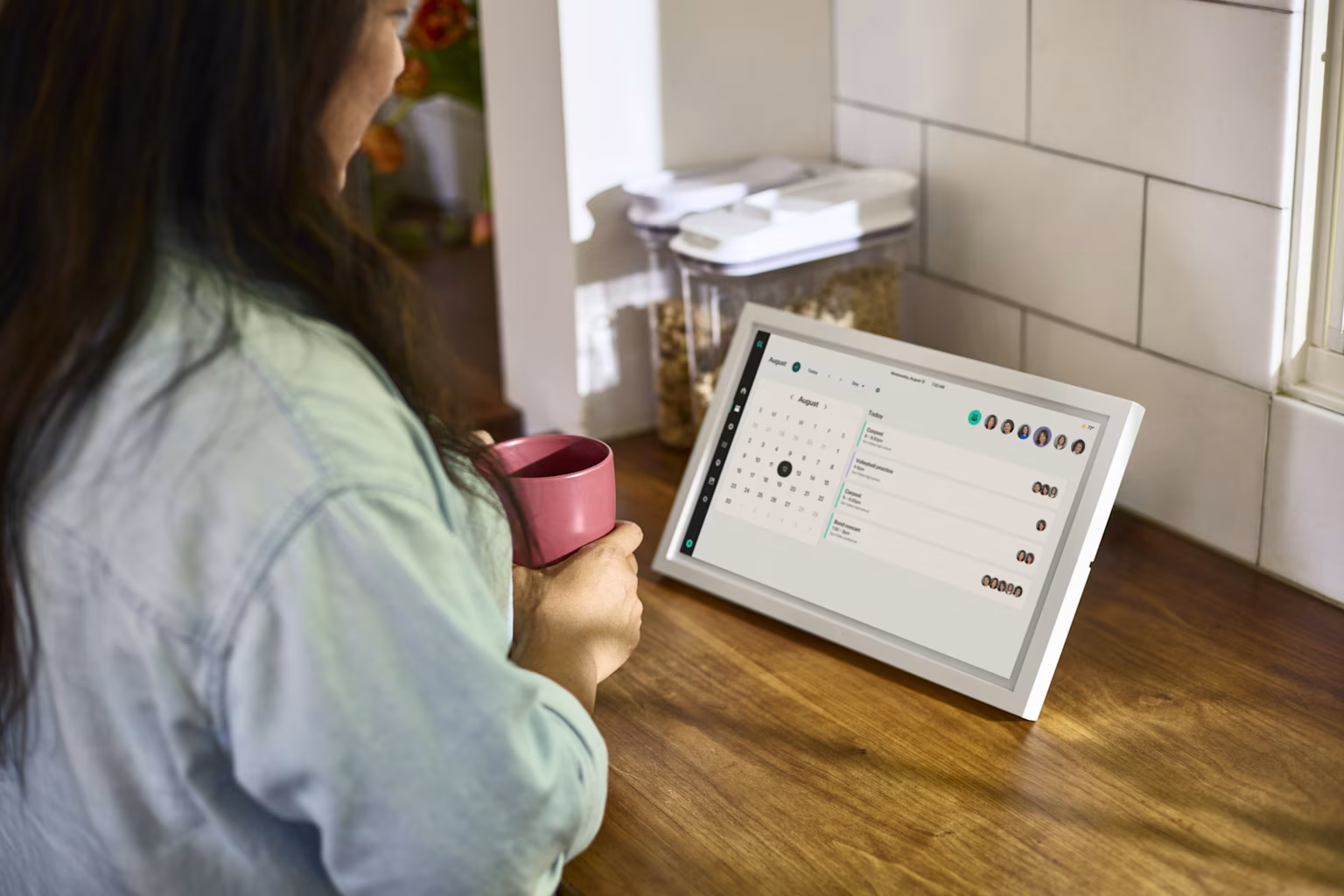
Skylight Calendar review: Is it worth it for your family?
Share

Hey, $mart parents 💡
Bring money lessons home with Greenlight’s $mart Parent newsletter, a quick read with impactful tips — delivered free to your inbox weekly.
Key takeaways
Overview
Skylight Calendar is a touchscreen device and digital calendar that puts your family's schedule on the wall. Instead of being accessed from a phone app, a shared calendar, chore charts, to-do lists, and photos sit on an always-on display in the kitchen or entryway where everyone can see them.
This review looks at what Skylight includes, what it costs, and who it's worth it for. Skylight, the company also behind the Skylight Frame photo display, sells the Calendar as a one-time hardware purchase, with premium features offered with an optional yearly subscription called Skylight Plus.
Skylight Calendar at a glance
Here are the essentials families ask about most, in one place.
Skylight Calendar key details
Feature | Free plan (after device purchase) | Skylight Plus (~$39–$79/yr) |
|---|---|---|
Device price (one-time) | Touchscreen display, three sizes | |
10″ Calendar | ~$170 | |
15″ Calendar | ~$300 | |
27″ Calendar Max | ~$600 | |
Shared calendar & sync | ✓ Google, Apple/iCloud, Outlook, Cozi, Yahoo | ✓ |
Chore charts | ✓ | ✓ |
To-do & grocery lists | ✓ | ✓ |
Companion mobile app | ✓ | ✓ |
Star rewards for chores | ✕ | ✓ |
Meal planning | ✕ | ✓ |
Photo screensaver / frame mode | ✕ | ✓ |
Sidekick AI assistant | ✕ | ✓ Text message only |
Email-to-calendar import | ✕ | ✓ |
Details reflect Skylight's publicly-disclosed product information as of July 2026 and may change. Prices are approximate and vary by promotion.
Pros and cons of Skylight Calendar
Skylight does the shared-calendar basics well and shines as a physical, always-visible family hub. Its main trade-offs are the upfront hardware cost, the subscription for premium features, and a scope limited to organization, plus no location or money tools.
Pros | Cons |
|---|---|
✓ Always-on shared screen keeps the whole family's schedule visible ✓ Syncs with Google, Apple, Outlook, Cozi and Yahoo calendars ✓ Chore charts, lists, and meal planning in one place ✓ Doubles as a digital photo display when idle (with Skylight Plus) ✓ Simple, kid-friendly touchscreen anyone can use | ✕ Larger sizes get expensive fast — the 27″ Calendar Max runs about $600 ✕ Star rewards, meal planning, the photo display, email import, and Sidekick AI all need Skylight Plus ✕ No family location sharing or place alerts ✕ Chore rewards are stars only — they don't connect to real allowance money |
Skylight Calendar features
Here's a closer look at what you actually get, feature by feature.
Shared family calendar
The core of Skylight is a color-coded shared calendar that syncs with Google, Apple/iCloud, Outlook, Cozi, and Yahoo. Each family member gets a color, and daily, weekly, and monthly views make it easy to see who has what at a glance. Events can be added on the touchscreen or from the companion app.
Two-way sync with Google, Apple/iCloud, Outlook, Cozi, and Yahoo
Color-coded profile for each family member
Daily, weekly, and monthly views
Add or edit from the touchscreen or the mobile app
Chore charts and rewards
Parents can assign recurring chores and tasks to each child, and kids check them off directly on the screen. A star-reward system adds light gamification. Note that Skylight's chores are about tracking completion, and there's no built-in way to attach real money or allowance payouts.
Assign one-time or recurring chores per child
Kids check off tasks directly on the screen
Star rewards for completed chores (Skylight Plus)
No real-money allowance or debit card payouts
Lists and meal planning
Shared to-do and grocery lists exist alongside the calendar, so the whole household can add items. Meal planning, including a weekly menu and recipe tools, is part of the premium Skylight Plus subscription, as is Magic Import for pulling in recipes and events.
Shared to-do and grocery lists, free on any Skylight
Anyone in the household can add items from the app
Weekly meal planner and recipe tools (Skylight Plus)
Magic Import for pulling in recipes and events (Skylight Plus)
Photos and ambient display
When it's not showing the calendar, Skylight cycles through family photos like a digital picture frame, so the device earns its counter space even when idle. Family members can send photos to the display from their phones.
Photo screensaver / frame mode requires Skylight Plus
Family members send photos from their phones
Display returns to the calendar on tap
Sidekick AI assistant
Sidekick is Skylight's AI assistant, included with Skylight Plus. You interact with it by text message only — there's no voice interaction — so you text details like a school flyer, a practice schedule, or a forwarded invite and Sidekick turns them into calendar entries, chores, or list items on the display.
Included with Skylight Plus
Text message only — no voice interaction
Turns texted photos and details into calendar events, chores, or list items
Is Skylight Calendar worth it?
Skylight Calendar is worth it for families who want a dedicated, physical command center — an always-on screen in a shared space that keeps schedules, chores, and lists visible without anyone opening an app. If your goal is to get the family's mental load out of a phone and onto the wall, it does that job cleanly and is easy for kids to use. The main things to weigh are the upfront hardware cost and the yearly subscription for premium features like meal planning and the Sidekick AI.
The verdict
Worth it for families who want an always-on shared calendar and chore display in a common space and like dedicated hardware.
Less ideal for families who'd rather organize across phones and the web without buying a device, want a more robust free plan, or need family location sharing or money tools for kids.
Want more options?
If Skylight isn't quite the right fit, two alternatives are worth a look.
Greenlight Family Hub
Greenlight Family Hub offers the same features, such as a shared calendar, chores, lists, and photos, on a dedicated device you can pair with a mobile app. It includes a very robust free plan with an optional premium tier for AI features, family location sharing/place alerts, plus optional money tools (debit cards, allowance, savings, and investing) for families who want them. See the full Skylight vs. Greenlight Family Hub comparison.
Cozi
Cozi is a long-running family-organizer app (calendar, lists, and meal planning) that runs on phones and the web with a free tier, so there's no hardware to buy. It's a strong pick if you want shared organization without a dedicated screen, though it lacks Skylight's always-on display. For the full field, see our Skylight alternatives guide.
FAQ
Is Skylight Calendar worth it?
It's worth it for families who want a dedicated touchscreen that keeps a shared calendar, chores, and lists visible in a common space and don't mind a one-time hardware cost plus an optional yearly subscription. It's less compelling if you'd rather organize on phones and the web, want a free plan, or need location or money management tools.
How much does Skylight Calendar cost?
As of July 2026, Skylight Calendar is a one-time hardware purchase of roughly $160 for the 10", $300 for the 15", and $600 for the 27" Calendar Max. Premium features like meal planning, photo screensaver display, rewards for chores, Magic Import, and Sidekick AI require a Skylight Plus subscription, which runs about $39–$79 per year.
Does Skylight have a monthly subscription?
The core calendar works without a subscription after you buy the device. Skylight Plus is billed annually and unlocks meal planning, Magic Import, rewards, photo display, and the Sidekick AI assistant.
Does Skylight sync with Google and Apple calendars?
Yes, Skylight syncs with Google Calendar, Apple/iCloud, Outlook, Cozi, and Yahoo, so existing schedules appear on the device automatically.
Does Skylight have location sharing or financial tools?
No, Skylight focuses on calendars, chores, lists, meal planning, and photos. It does not include family location sharing, a kids' debit card, or money-management tools.
What is a good alternative to Skylight Calendar?
Greenlight Family Hub is a common alternative, offering a shared calendar, chores, lists, and photos across a device, web, and mobile app, with family location sharing and a capable free plan. Cozi, Hearth, and Google Nest Hub are other options.
Methodology. We evaluated Skylight Calendar on the factors that matter most to families choosing a shared organization device: hardware options and price, subscription cost, calendar sync, chores and rewards, lists and meal planning, photos and ambient display, the companion app and AI features, and whether it offers location or money tools. Details are drawn from Skylight's publicly-disclosed product materials as of July 2026 and compared against widely-available family-organization options. Products change often; confirm current details with each provider before deciding.
Skylight and Skylight Calendar are trademarks of Skylight Frame, Inc. All product and company names are trademarks of their respective holders and use here does not imply affiliation or endorsement.
This article is for educational purposes only and does not constitute financial advice.
The Greenlight Family Hub requires WiFi connectivity and is available for use with all Greenlight plans. Some features require a subscription. See Terms for more details.
© 2026 Greenlight Financial Technology, Inc. All Rights Reserved. The Greenlight card is issued by Community Federal Savings Bank, member FDIC, pursuant to license by Mastercard International.
Share

