

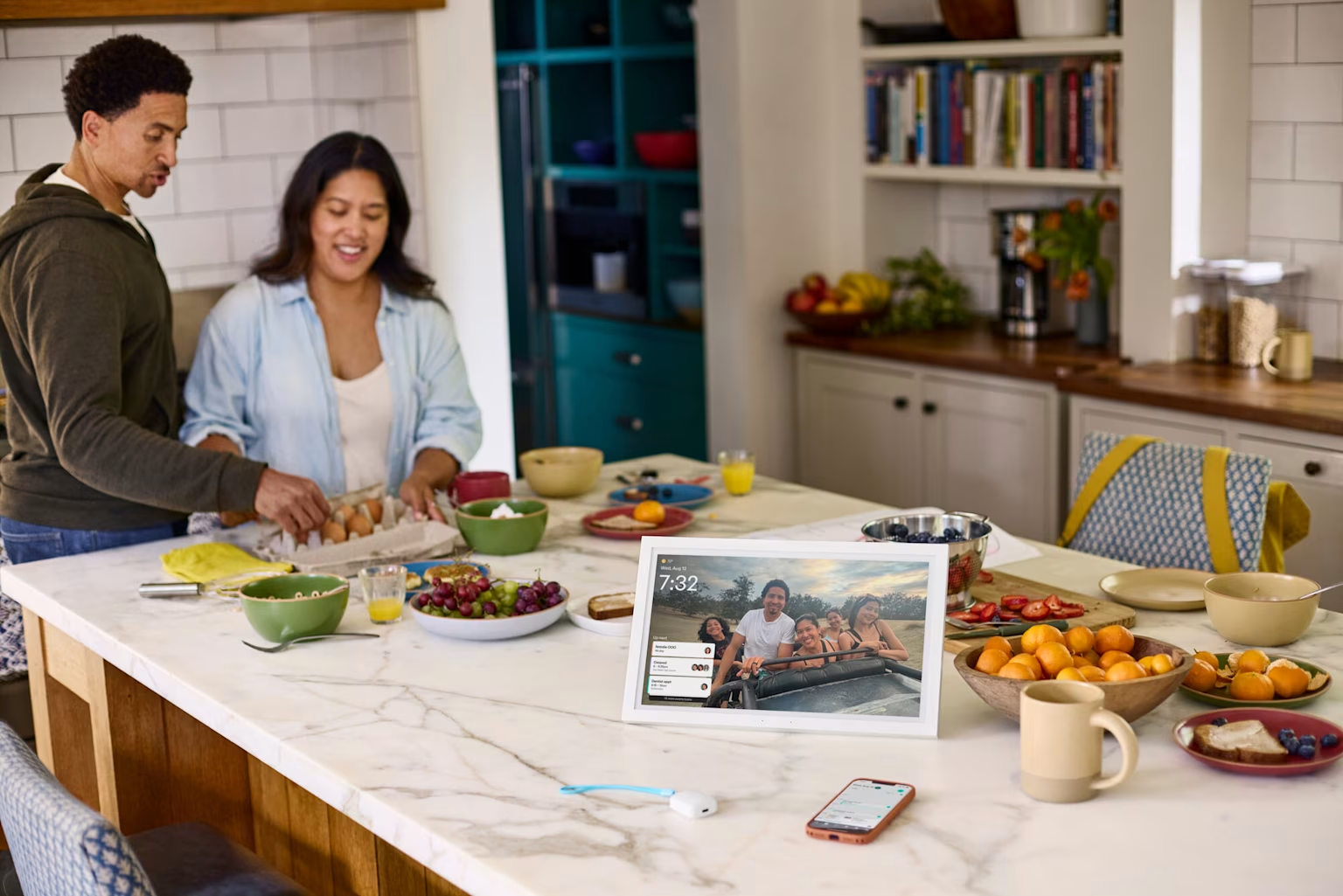
Apple HomeView vs. Greenlight Family Hub (2026): which is right for your family?
Share

Hey, $mart parents 💡
Bring money lessons home with Greenlight’s $mart Parent newsletter, a quick read with impactful tips — delivered free to your inbox weekly.
Key takeaways
Apple HomeView and Greenlight Family Hub both put a screen on your counter or wall, and both show calendars, photos, and where your family is. However, they’re built for different jobs.
HomeView, Apple’s first smart display ($299, ships November 13, 2026), is a 7-inch entertainment and smart home screen. It has Siri AI, strong audio, FaceTime, and Apple Home control, and it becomes personal for each of up to six recognized faces.
Greenlight Family Hub ($199–$299) is a household organizer. It puts everyone’s schedule, chores, lists, and locations in one shared view, connected to the Greenlight money app so chores can pay out as allowance.
This comparison covers which one fits your family.
Apple HomeView vs. Greenlight Family Hub at a glance
Prices reflect Apple’s October 13, 2026 announcement and Greenlight’s published plans as of October 2026. HomeView had not shipped at the time of this writing.
Feature comparison
Feature | Greenlight Family Hub — from $199 | Apple HomeView — $299 |
|---|---|---|
Screen size | 10.1 inches ($199) or 15.6 inches ($299) | 7 inches |
Subscription | Free tier available Family Hub+ $9.99/mo or $99/yr | None to start iCloud+ for camera AI; possible future AI fees |
Shared family calendar | ✓ One color-coded view syncing Google, Outlook, iCloud, and Webcal | ✕ Personal calendars, shown per recognized user |
Chores & rewards | ✓ | ✕ |
Pay allowance for chores | ✓ With a Greenlight financial plan | ✕ |
Shared lists | ✓ To-do and grocery lists | ✕ Reminders, per person |
Family location | ✓ Full-screen family map | ✓ Find My, for people who share with you |
Place alerts, SOS, driving reports | ✓ With Infinity or Family Shield plans†† | ✕ |
Photo display | ✓ Unlimited | ✓ |
Voice assistant | ✓ “Hey Greenlight” family AI assistant (Family Hub+) | ✓ Siri AI (beta at launch) |
Music & video calls | ✕ | ✓ |
Smart home control | ✕ | ✓ |
Works with Android | ✓ iOS and Android | ✕ Requires iPhone or iPad |
Kid-safe platform | ✓ Closed, four-digit parental lock | Profile-based personal content |
Wall mounting | ✓ Mount and stand included | Separate wall model mount: $59.95–$129.95 |
Pros and cons
Apple HomeView pros and cons
Pros | Cons |
|---|---|
✓ Siri AI (beta at launch) is described by Apple as conversational with broad world knowledge | ✕ Requires an iPhone or iPad, not Android compatible |
✓ Face recognition gives up to six people a private, personal screen | ✕ No chore chart, rewards, or allowance |
✓ Audio hardware includes two full-range drivers, a woofer, and passive radiators with Spatial Audio | ✕ No shared family calendar view |
✓ Deep Apple Home and Matter control, with up to nine camera feeds | ✕ 7-inch screen is small to read across a room |
✓ Listens for smoke and CO alarms and alerts your iPhone | ✕ Wall version needs a separately sold mount |
Greenlight Family Hub pros and cons
Pros | Cons |
|---|---|
✓ Free tier available with unlimited photos included | ✕ No music, FaceTime, or smart home control |
✓ $199 entry price, $100 less than HomeView | ✕ Family map, place alerts††, and voice assistant require Family Hub+ |
✓ Up to 15.6 inches for the same $299 | ✕ No meal planner or recipes |
✓ One shared, color-coded calendar for the whole household | |
✓ Chores with star rewards that can pay out as allowance | |
✓ Live family map, place alerts, SOS, and driving reports†† | |
✓ Works with iPhone and Android |
Pricing
Total cost with required parts and plans ranges from $199–$398 for Greenlight Family Hub (first year, free or Family Hub+ tier) and $299–$429 for Apple HomeView (tabletop or wall model with mount), once you add the parts and plans it needs to work. Here’s how it breaks down.
Apple HomeView
Item | Price |
|---|---|
HomeView (tabletop or wall model) | $299 |
Schneider Home mount, USB-C (wall model only) | $59.95 |
Schneider Home mount, AC wired (wall model only) | $79.95 |
Schneider Home mount, PoE, early 2027 (wall model only) | $129.95 |
Total, tabletop and wall models | $299–$429 |
Greenlight Family Hub
Item | Price |
|---|---|
10.1-inch portable | $199 |
15.6-inch | $299 |
Wall mount and table stand | Included |
Free tier: shared calendar, chores, lists, unlimited photos | $0 |
Family Hub+ adds family AI assistant, location and safety features†† | $9.99/mo or $99/year |
Total 1st year cost | Free tier: $199 With Family Hub+: $398 |
Who wins?
Greenlight Family Hub is best for value. It starts $100 lower ($199 vs $299), includes the wall mount, and offers a larger screen (up to 15.6 in). Apple HomeView's higher price buys audio and smart-home control.
Calendar and organization
Greenlight Family Hub puts everyone’s calendars into one color-coded view the whole kitchen can read, while Apple HomeView gives each person their own private view once it recognizes their face. HomeView’s approach is better for privacy, but it means there’s no single family view on the wall to keep everyone in the loop.
Feature | Apple HomeView | Greenlight Family Hub |
|---|---|---|
Calendar view | One personal view per family member | One shared, color-coded family view |
Calendars supported | Apple hasn’t said whether Google or Outlook calendars carry over from a paired iPhone | Google, Outlook, iCloud, and Webcal pulled in directly, no Apple device required |
How it identifies you | Face recognition + a paired iPhone or iPad that is present and recently unlocked | Shared by design, no identification needed |
Number of users | Up to 6 | No limit |
Readable at a glance | ✕ | ✓ |
Private per-person view | ✓ | ✕ |
Shared household calendar | Not announced | ✓ |
Who wins?
Greenlight Family Hub. A shared view is the whole point of a family calendar display.
Chores, rewards, and allowance
Greenlight Family Hub lets kids check off chores and earn star rewards right on the screen. With a Greenlight financial plan, completed chores can be paid out as allowance in the Greenlight app, where kids also have a debit card with parent controls. HomeView doesn’t offer this feature.
Feature | Apple HomeView | Greenlight Family Hub |
|---|---|---|
Chores and lists | ✕ | ✓ |
Earn stars or rewards | ✕ | ✓ |
Pay allowance for chores | ✕ | ✓ Requires Greenlight financial plan |
Who wins?
Greenlight Family Hub, for families who want to assign chores and rewards, and need a household to run smoothly.
Location and safety
Apple HomeView surfaces Find My locations and listens for smoke and CO alarms, while Greenlight Family Hub builds out a full safety layer, including a live family map, arrival and departure alerts, teen driving reports, SOS, and crash detection††.
Feature | Apple HomeView | Greenlight Family Hub |
|---|---|---|
Location view | Find My, for family members who share their location with you via iPhone | Full-screen live family map, with Family Hub+ |
Arrival and departure alerts | ✕ | ✓ Family Hub+ |
Driving reports for teen drivers | ✕ | ✓ Family Hub+ |
SOS alerts | ✕ | ✓ Family Hub+ |
Crash detection | ✕ | ✓ Family Hub+ |
Alarm detection | ✓ Hears smoke and CO alarms and alerts your Apple devices | ✕ |
The Greenlight Family Hub requires WiFi connectivity and is available for use with all Greenlight plans. Some features require a subscription. See Terms for more details.
Who wins?
Greenlight Family Hub for family location and safety, and HomeView for home safety, since it can hear smoke and CO alarms.
Entertainment, voice, and smart home
This is Apple HomeView’s home turf. It has two full-range drivers plus a woofer and passive radiators, Spatial Audio, multiroom playback, FaceTime with Center Stage, Apple TV, and Apple Home control for lights, locks, thermostats, and up to nine cameras. Siri AI is far more conversational than the Siri most families know, though it ships in beta.
Greenlight Family Hub has a hands-free “Hey Greenlight” assistant with Family Hub+, but it doesn’t play music, make video calls, or control smart home devices.
Feature | Apple HomeView | Greenlight Family Hub |
|---|---|---|
Audio hardware | ✓ Two full-range drivers, a woofer, and passive radiators | ✕ |
Spatial Audio | ✓ | ✕ |
Multiroom playback | ✓ | ✕ |
Video calling | ✓ FaceTime with Center Stage | ✕ |
Streaming/TV | ✓ Apple TV | ✕ |
Smart home control | ✓ Lights, locks, thermostats, and up to 9 cameras | ✕ |
Voice assistant | ✓ Siri AI (ships in beta) | ✓ “Hey Greenlight” with Family Hub+ |
Who wins?
Apple HomeView. It offers music, multiroom audio, FaceTime, Apple TV, and smart home control for lights, locks, thermostats, and up to nine cameras. Greenlight Family Hub has a hands-free assistant but no media playback, video calls, or smart home control, so for entertainment and home automation, Apple HomeView is the clear choice.
Who can use it
Apple HomeView requires a compatible iPhone or iPad to set up, and its personal features depend on a paired Apple device.
Greenlight Family Hub works with iPhone and Android and runs as a closed platform. There’s no app store or browser, and parent-level changes need a four-digit code. In a mixed-phone household, or one where kids have Android phones, that difference decides it.
Feature | Apple HomeView | Greenlight Family Hub |
|---|---|---|
Required device | iPhone or iPad | None — works independently |
Works with Android | ✕ | ✓ |
Personal features | ✓ Depend on a paired Apple device | N/A — not device-dependent |
App store or browser | Not specified | ✕ Closed platform |
Parent-level changes | Not specified | Requires a passcode |
Who wins?
Greenlight Family Hub for mixed-device households. Apple HomeView only if everyone is on Apple.
The verdict
Choose the right device based on what you want the screen to do. If the answer is music, FaceTime, Siri, and running an Apple Home, HomeView is the stronger device, as long as everyone in the house carries an iPhone. If the answer is keeping the family organized, with one shared calendar, chores that pay into allowance, and confirmation that everyone got where they were going, Greenlight Family Hub does that job for less.
Choose Apple HomeView if you’re an all-Apple household that wants a premium speaker, FaceTime, Siri AI, and smart home control on one screen.
Choose Greenlight Family Hub if you want a family organizer with a shared calendar, chores with rewards and allowance, shared lists, and a live family map, on iPhone or Android, from $199.
FAQ
What is the difference between Apple HomeView and Greenlight Family Hub?
Apple HomeView ($299) is a 7-inch entertainment and smart home display with Siri AI, Spatial Audio, FaceTime, and Apple Home control, built for Apple households. Greenlight Family Hub ($199 for 10.1 inches or $299 for 15.6 inches) is a family organizer with a shared color-coded calendar, chores with star rewards, shared lists, and a live family map with place alerts and SOS.
Which is cheaper, Apple HomeView or Greenlight Family Hub?
Greenlight Family Hub is cheaper. It starts at $199 for a 10.1-inch screen, while HomeView is $299 for 7 inches. The wall-mounted HomeView also needs a separately sold mount ($59.95–$129.95), while Family Hub includes a wall mount and table stand.
Does Apple HomeView have a shared family calendar?
Apple has not announced a shared family calendar view. HomeView shows each recognized person their own Calendar and Reminders. Greenlight Family Hub syncs everyone’s Google, Outlook, iCloud, and Webcal calendars into one color-coded household view.
Can Apple HomeView track chores or pay allowance?
No, HomeView has no chore chart, rewards, or allowance features. Greenlight Family Hub includes chores with star rewards, and with a Greenlight financial plan, completed chores can pay out as allowance.
Does Apple HomeView work with Android phones?
No. HomeView requires a compatible iPhone or iPad for setup and multi-user features. Greenlight Family Hub works with both iPhone and Android.
Which is better for family safety?
For family location and safety, Greenlight Family Hub. With Family Hub+, it shows a full-screen live family map, and with Infinity or Family Shield plans it adds arrival and departure alerts, SOS, crash detection, and driving reports††. HomeView shows Find My locations for people who share with you and alerts your Apple devices when it hears smoke or CO alarms.
Methodology. We compared Apple HomeView and Greenlight Family Hub on the factors families weigh when choosing a home display: price and screen size, subscription requirements, shared calendar and organizing features, chores and allowance, family location and safety, entertainment and smart home control, and platform compatibility. HomeView details come from Apple’s official October 13, 2026 announcement. The device had not shipped at the time of writing, and this comparison will be updated after launch. Family Hub details reflect Greenlight’s published plans as of October 2026.
Apple, HomeView, Siri, FaceTime, and Find My are trademarks of Apple Inc. All product and company names are trademarks of their respective holders, and use here does not imply affiliation or endorsement. This article is published by Greenlight and reflects a comparison in which Greenlight is one of the products evaluated.
††Requires mobile data or a WiFi connection, and access to sensory and motion data from cell phone to utilize safety features including family location sharing and driving alerts and reports. Messaging and data rates and other terms may apply.
The Greenlight® prepaid card is issued by Community Federal Savings Bank, member FDIC, pursuant to license by Mastercard International.
Share

